For most first-time buyers, the best beginner 3D printer is an easy-to-use FDM (filament) printer with auto bed leveling, tuned PLA and PETG profiles, and a strong support ecosystem. Choose a resin printer only if fine-detail miniatures matter more than convenience, and only if you can handle gloves, ventilation, solvent washing, UV curing, and chemical cleanup. That guidance is supported directly by NIOSH's makerspace safety guide, Formlabs' SLA vs. FDM comparison, and current expert review patterns at Tom's Hardware.
Quick answer: Buy FDM, start with PLA, target 180–220 mm build volume, and weight your decision toward setup friction, safety, and support — not raw print speed. The Bambu Lab A1 mini, Flashforge Adventurer 5M, Prusa MINI+, and Creality Ender-3 V3 SE are the four strongest mainstream FDM starters; the Toybox is the kid-first pick; the Elegoo Mars 5 Ultra is the conditional resin pick for miniatures.
The Low-Drama First Printer Framework
Most "best beginner 3D printer" lists rank by speed and price. That gets beginners into the wrong machines. A better framework scores each printer on the dimensions that actually predict whether you'll still be printing in month three.
| Dimension | Weight | What to look for | Why it matters |
|---|---|---|---|
| First-print friction | 30% | Pre-assembly, auto bed leveling, tuned slicer profiles, quick-start docs | Strongest predictor of whether a beginner gets usable prints in the first week |
| Home safety footprint | 25% | Low-mess workflow, ventilation demands, noise, filtration with standards | Real for homes with kids, shared rooms, or classrooms — see NIOSH |
| Project fit | 20% | FDM vs resin, build volume, materials, detail vs durability | Wrong technology choice creates instant buyer's remorse |
| Support ecosystem | 15% | Slicer maturity, spare parts, official docs, community models | Beginners need help after purchase more than before |
| Cost runway | 10% | Filament price, accessories, enclosure, wash/cure gear, repairability | A cheap printer stops being cheap when it forces costly workflow extras |
Scoring interpretation: 80–100 is an excellent first printer for most beginners; 65–79 is good if it matches the use case; below 65 is usually a second printer, specialist printer, or tinkerer's printer. This is an editorial rubric, not a lab benchmark — use it to structure comparisons.
FDM vs Resin for Beginners
This is the single biggest branch point in the category, and most listicles handle it poorly. Here is the honest comparison.
| Factor | FDM (filament) | Resin (SLA/MSLA) |
|---|---|---|
| Typical material cost | ~$20–$50/kg (Formlabs) | ~$50+/kg, plus solvents |
| Detail | Good; visible layer lines | Finer features and smoother surfaces (Formlabs SLA guide) |
| Post-processing | Snap or cut supports off | Wash in solvent + UV cure (Formlabs) |
| Mess level | Low | High — gloves, IPA, drip trays, cured-resin disposal |
| Best for | Toys, organizers, household fixes, prototypes, school projects, cosplay | Tabletop miniatures, dental/jewelry models, fine display pieces |
| Home safety overhead | Lower; still has hot parts and ultrafine particles | Higher; uncured resin and solvents need PPE and ventilation |
NIOSH identifies fused filament fabrication as the most common desktop process in schools, libraries, and small businesses because the printers are inexpensive, small, and easy to set up and use. That same guide details ultrafine-particle and chemical hazards that apply more strongly to resin workflows. (NIOSH 2024-103)
Default: FDM. Exception: you mainly print high-detail miniatures and you can run a resin workflow correctly.
What Build Volume Do Beginners Actually Need?
For a first printer, 180 × 180 × 180 mm to 220 × 220 × 220 mm covers a large share of starter use cases: toys, organizers, household fixes, school projects, smaller prototypes, and many cosplay components. Larger objects can be split in slicer software like Bambu Studio or PrusaSlicer; for the broader software stack, compare the best 3D printing software options.
- 180 mm cubed — Bambu Lab A1 mini and Original Prusa MINI+ both sit here.
- 220 mm cubed — Flashforge Adventurer 5M / 5M Pro.
- Larger — useful for cosplay helmets, decorative props, and bigger functional parts, but adds cost and footprint.
A bigger bed does not make a printer better. It makes long prints longer, failures more expensive, and the machine harder to fit in a desk or bedroom.
Best Beginner 3D Printers in 2026
Each of the picks below is anchored to specifications from the manufacturer's official page. Prices fluctuate; verify before purchase.
Bambu Lab A1 mini — best overall first printer
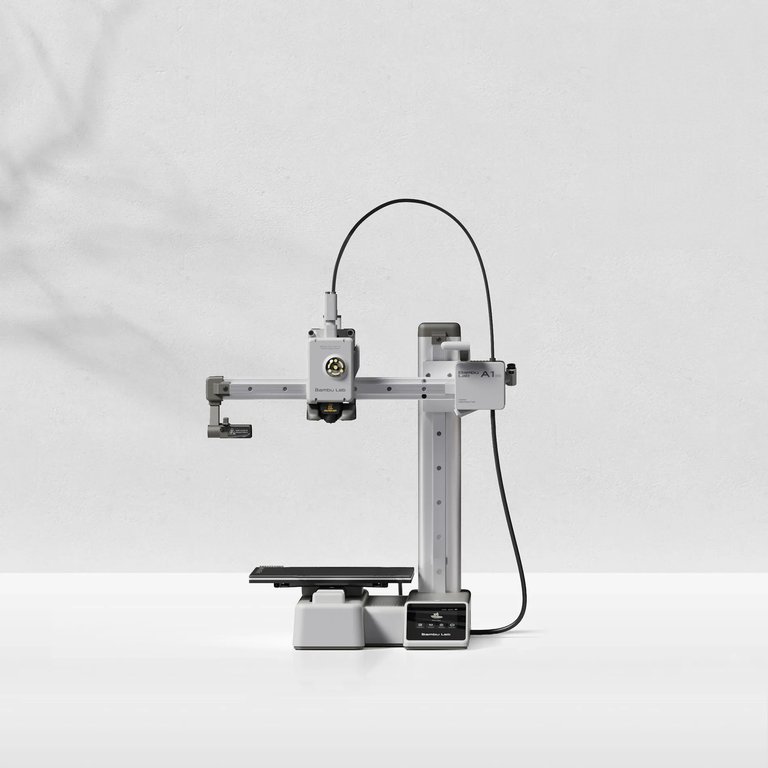
The A1 mini is the printer most beginners should buy. It ships pre-assembled, sets up in about 20 minutes, runs full-auto calibration, and operates under 48 dB in silent mode in a 180 × 180 × 180 mm build volume. Tom's Hardware also highlights the spare-parts and maintenance documentation in the broader Bambu ecosystem.
- Best for: general home beginners, gifts, toys, school projects, casual experimenting
- Watch out: smaller build volume than 220+ mm machines; multi-color requires the AMS lite add-on
Flashforge Adventurer 5M — fast low-friction FDM
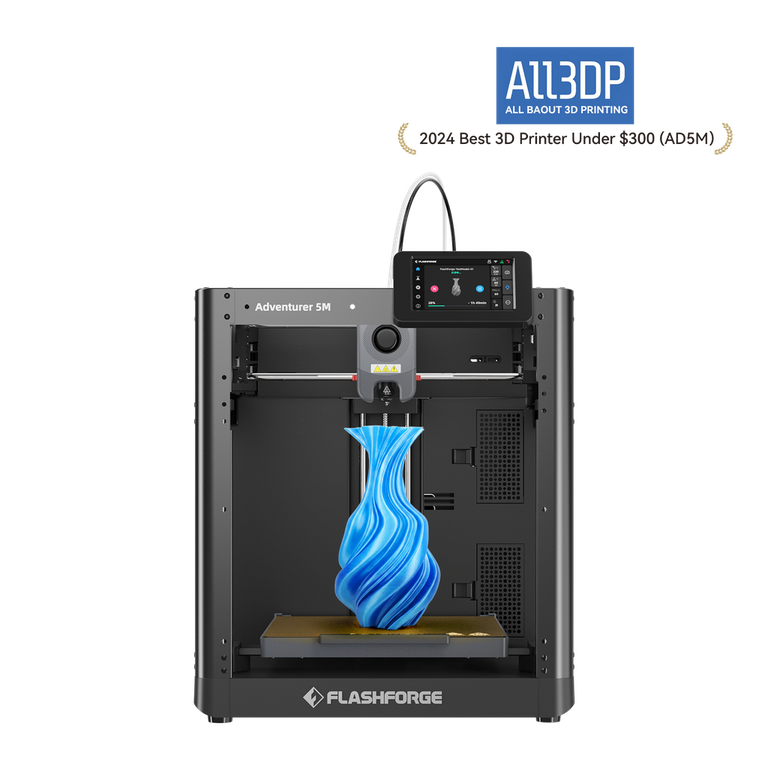
The Adventurer 5M sets up in 10 minutes or less, includes auto-leveling, has a 220 × 220 × 220 mm build volume, and claims up to 600 mm/s top speed. The standard 5M is open-frame; Flashforge specifically notes that ABS-series filament is not compatible with the AD5M.
- Best for: beginners who want a bigger bed than 180 mm cubed and don't need enclosure
- Watch out: open frame is less ideal for shared rooms; promotional pricing is volatile
Flashforge Adventurer 5M Pro — enclosed for shared spaces
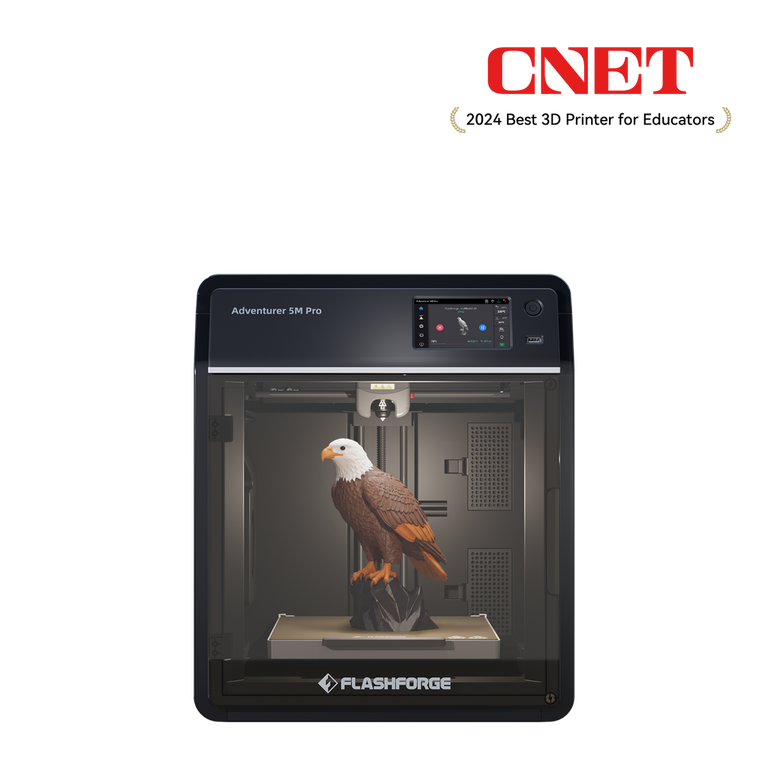
The 5M Pro is the enclosed version: 220 × 220 × 220 mm, 50 dB low-noise mode, and a manufacturer claim of 99% filtration of particulates and VOCs. Treat the filtration number as a manufacturer-reported figure rather than an independent benchmark — no UL 2904 certification was surfaced on-page.
- Best for: family rooms, classrooms, dorms, or anyone planning to print PETG, ASA, or warmer-use materials
- Watch out: higher cost than the open 5M; filtration claim is not independently certified here
Original Prusa MINI+ — best support ecosystem
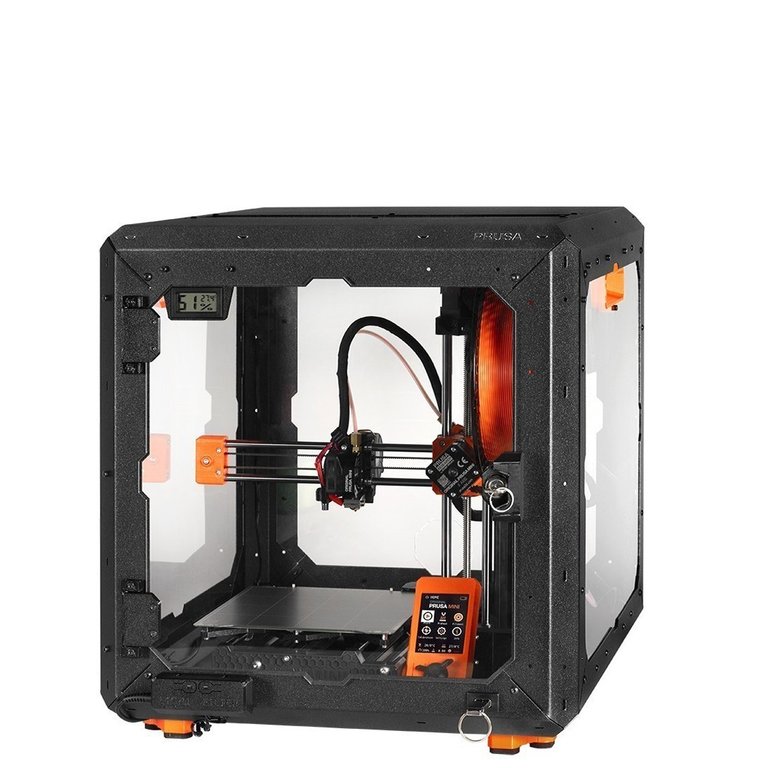
The MINI+ is the printer to choose when you care most about long-term support. Prusa offers 24/7 customer support in seven languages, ships tuned profiles in its open-source PrusaSlicer, and maintains thorough documentation. Build volume is 180 mm cubed.
- Best for: users who prioritize documentation, support quality, and ecosystem longevity
- Watch out: smaller bed; less impulse-buy pricing than ultra-budget alternatives
Creality Ender-3 V3 SE — budget pick with auto leveling
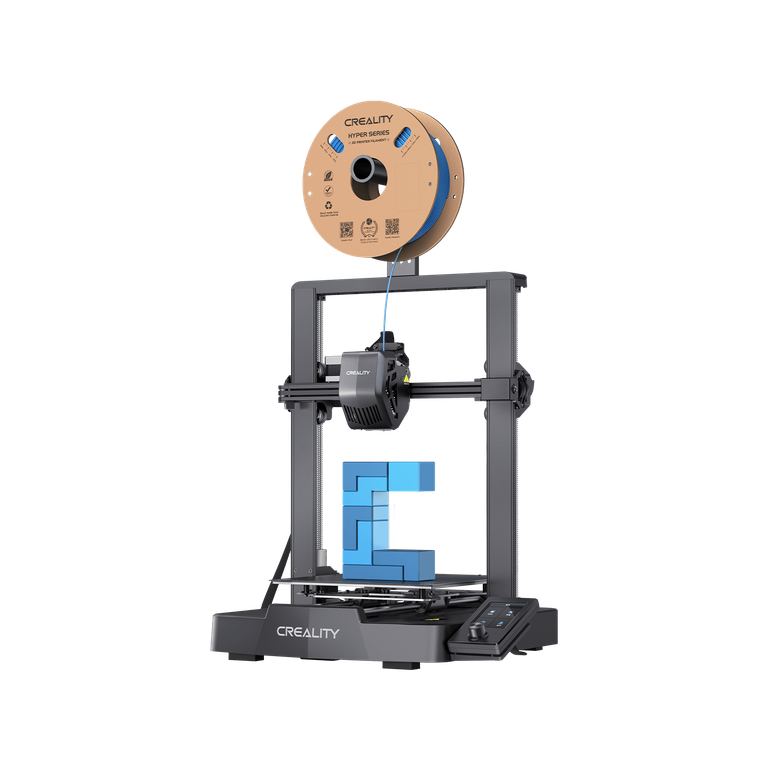
The Ender-3 V3 SE keeps the budget-Creality positioning but adds CR Touch auto-leveling, a Sprite direct extruder, and 250 mm/s printing in a quick-assembly package. It's still a value-tier machine — expect more tinkering than with Bambu or Prusa.
- Best for: budget-conscious beginners who still want automatic bed leveling
- Watch out: rougher out-of-box experience than premium plug-and-play ecosystems
Toybox 3D Printer — best for younger kids
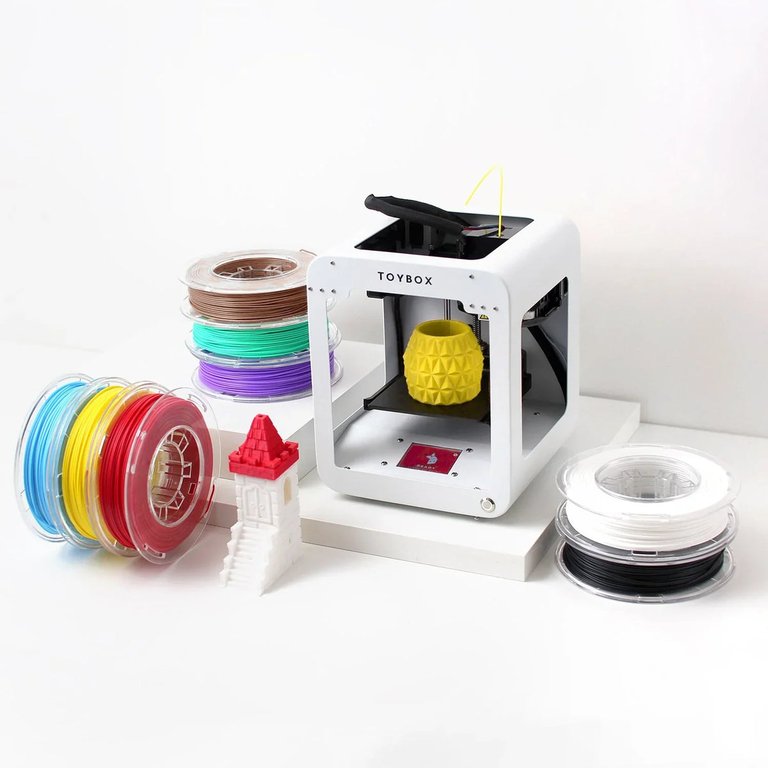
Toybox is a different product category. Instead of a maker platform, it's a curated toy ecosystem: push-button printing from an in-app library, kid-friendly hardware, non-toxic PLA, and STL/OBJ/3MF upload support. Tom's Hardware specifically calls out its plug-and-play positioning.
- Best for: gifts for younger kids, simple toy printing, families who want zero slicer overhead
- Watch out: more of a closed ecosystem than a general-purpose maker platform
Elegoo Mars 5 Ultra — conditional resin pick for miniatures
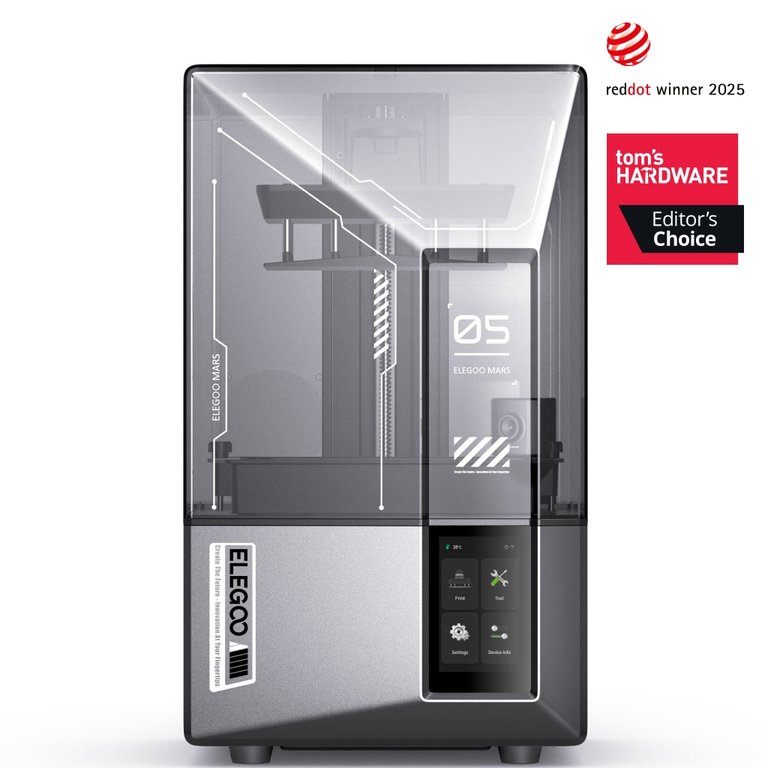
The Mars 5 Ultra is a 9K-screen MSLA printer with 18 μm XY official detail. It's the right first printer only for buyers whose main project is small, highly detailed parts — and only if they can run a resin workflow safely.
- Best for: tabletop miniatures, jewelry models, fine display pieces
- Watch out: resin workflow overhead — gloves, IPA wash, UV cure, ventilation, and cured-waste disposal
What to Print With: PLA, PETG, ABS, ASA
Material choice matters as much as printer choice. Most beginner frustration comes from picking the wrong filament for the part.
| Material | Easy to print? | Heat resistance | Best for | Notes |
|---|---|---|---|---|
| PLA | Yes — easiest beginner material | Softens above ~60 °C | Toys, organizers, decor, school projects | Inexpensive, low warping, not for hot car interiors (Prusa PLA) |
| PETG | Yes — beginner-friendly | Better than PLA | Functional indoor parts, brackets, mechanical pieces | Easy to print and inexpensive (Prusa PETG) |
| ABS | No — significant warping | High | Tough functional parts | Toxic fumes; needs enclosure and ventilation (Prusa ABS) |
| ASA | Harder than PLA/PETG | High, UV-resistant | Outdoor parts | Still has warping caveats (Prusa ASA) |
Default path: start with PLA, move to PETG when you need tougher or warmer-use parts. Only step up to ABS or ASA when the application actually requires it — and budget for an enclosure and ventilation if you do.
Is 3D Printing Safe at Home?
Safety is the section most "best beginner printer" articles skip. It shouldn't be.
NIOSH's 2023 makerspace guide identifies the real hazards in plain English: ultrafine particles, chemicals, hot surfaces, moving parts, take-home contamination, and laser hazards in some SLA systems. It also explicitly notes that contamination on garments may create secondary exposure risks to family members when printers run in homes and garages.
The good news: engineering controls work. In NIOSH-tested setups, a custom ventilated enclosure reduced particle concentrations by over 99% and total organic chemical concentration by almost 70%, and a designed local exhaust setup captured at least 99.6% of particles.
Practical home rules of thumb:
- Don't print in a bedroom you sleep in if you can avoid it.
- Favor enclosed printers, or print in a room you can ventilate.
- Keep kids and pets away from hot beds, moving parts, and resin/solvent work areas.
- For resin: gloves every time, no skin contact with uncured liquid, dispose of resin waste per local rules.
- "Enclosed" does not automatically mean "safe in a bedroom" — emission control depends on design, airflow, filters, and testing standards like UL 2904.
Pick by Use Case: What Should You Buy?
| Your situation | Recommended direction | Why |
|---|---|---|
| Parent buying a first printer for gifts, toys, school | Low-friction FDM with PLA — A1 mini or Toybox | PLA is the easiest beginner material; both ecosystems minimize setup |
| Tabletop minis hobbyist | Resin (Mars 5 Ultra) if you can run the workflow; otherwise FDM for terrain and larger figures | SLA wins on detail; FDM wins on convenience (Formlabs) |
| DIY home repairs, brackets, organizers | FDM with PLA, graduate to PETG | PLA for learning, PETG for tougher indoor parts |
| Cosplay props and large decorative parts | FDM at 220 mm cubed or larger, plan to split models | Smaller beds work but constrain part size |
| Classroom, library, makerspace | FDM with documented support and an enclosure/ventilation strategy | NIOSH guide was written specifically for these environments |
Things Beginners Get Told That Are Wrong
- "Resin printers are better than filament printers." — Resin is better for detail; FDM is better for cost, convenience, and beginner safety/workflow. (Formlabs)
- "Auto-leveling means maintenance-free." — Auto-leveling helps; you still clean surfaces, manage filament moisture, replace consumables, and follow safety steps.
- "An enclosed printer is safe in a bedroom." — Enclosure helps, but real safety depends on filter design, airflow, materials, and standards like UL 2904.
- "PLA is biodegradable, so it's eco-friendly enough for any use." — Prusa says PLA decomposes in specialized composting facilities, not ordinary garden compost. (Prusa PLA)
- "The cheapest printer is best for beginners." — A cheap machine with weak support and a brittle slicer is more expensive in failed-print time.
- "Print speed is the most important spec." — Reliable first layers, tuned profiles, and predictable support removal matter more than headline mm/s numbers.
FAQ
What type of 3D printer should a beginner buy first? Usually an FDM/FFF filament printer. NIOSH identifies FFF as the most common desktop process, and Formlabs' own comparison says FDM is generally cheaper to run and avoids the resin washing/curing workflow.
When should a beginner choose resin instead? Choose resin if your priority is small, highly detailed parts — typically tabletop miniatures, jewelry models, or fine display pieces — and you can run a workflow that includes gloves, solvent washing, UV curing, and contained cleanup.
What filament should I start with? Start with PLA. Prusa describes PLA as one of the easiest materials to print, inexpensive, low-warp, and beginner-suitable.
What filament should I try after PLA? Usually PETG. Prusa describes it as easy to print, beginner-suitable, and better than PLA for technical or warmer-use parts.
Do I need an enclosure? Not for basic PLA printing on an open machine in a ventilated room. Enclosures become important in shared spaces, when you start printing ABS/ASA, or when emissions control is a priority.
What build volume is enough for a first printer? For most beginners, 180–220 mm cubed covers toys, organizers, prototypes, and school projects. Larger cosplay pieces benefit from more volume or model-splitting in your slicer.
Can I print miniatures on an FDM printer? Yes for terrain, larger figures, and painted models where microscopic detail is less critical. Resin still wins on fine features and smoother surfaces.
Do I need to know CAD before buying a 3D printer? No. Many beginners start by printing pre-made models from repositories like Printables and learn modeling later. When you are ready to design your own parts, compare the best CAD software for free, maker, and professional workflows. Slicer software is the more immediate skill to pick up.
Are 3D-printed food-contact items safe? Not by default. Prusa and Formlabs both caution against treating filaments as automatically food-safe; layer grooves harbor bacteria, and most resins are not food-safe at all.
Is 3D printing safe at home? Manageable, not risk-free. NIOSH identifies ultrafine particles, chemicals, burns, moving parts, and take-home contamination, and recommends engineering controls and PPE. Ventilation and enclosure design materially reduce emissions.
How much does a first 3D printer really cost? Sticker price plus filament (~$20–$50/kg for FDM), tools, replacement nozzles, and — for resin — wash/cure station, IPA, gloves, and disposal handling. Budget at least 20–30% above the printer's purchase price for the first six months. If that extra cost makes you hesitate, compare a 3D printing service against buying before you commit.