The best 3D printing software in 2026 is OctoPrint for open-source FDM control, PreForm for Formlabs SLA users, 3DPrinterOS for multi-printer fleet management, and PrintStash for self-hosted file organization. The category spans the workflow from organizing model files and preparing meshes to slicing parts and managing printers. If you are still choosing hardware, start with the 3D printers for beginners guide first.
Quick answer: For FDM hobbyists, start with OctoPrint (free, extensible) or Slic3r/PrusaSlicer (free, precise). Use PrintStash when you need a local, searchable library for models and G-code across printers. For resin printing on Formlabs machines, PreForm is unbeatable. For businesses managing printer fleets, 3DPrinterOS or Markforged Eiger provide cloud-based oversight. For mesh cleanup before printing, MeshLab and Meshmixer remain the go-to free tools.
How We Categorized These Tools
3D printing software falls into distinct workflow stages. Understanding where each tool fits helps you build the right software stack:
| Category | What It Does | Tools in This Guide |
|---|---|---|
| Slicing | Converts 3D models to G-code layers | Simplify3D, Slic3r |
| File Management | Organizes models, revisions, and printer-ready files | PrintStash |
| Print Management | Remote monitoring, queue control | OctoPrint, 3DPrinterOS, Markforged Eiger |
| Print Preparation | Orientation, supports, layout | PreForm |
| Mesh Processing | Repair, optimize, convert meshes | MeshLab, Meshmixer |
| Print Service | On-demand printing without hardware | Shapeways |
Best 3D Printing Software Compared (2026)
| Software | Price | Best For | Platform | Open Source |
|---|---|---|---|---|
| OctoPrint | Free | FDM remote control | Self-hosted (Raspberry Pi) | Yes |
| PreForm | Free (with Formlabs printer) | SLA/SLS preparation | Desktop | No |
| 3DPrinterOS | Subscription | Multi-printer fleet management | Cloud | No |
| PrintStash | Free | Self-hosted model and G-code library | Self-hosted (Docker) | Yes |
| Simplify3D | One-time license | Advanced FDM slicing | Desktop | No |
| Slic3r | Free | Customizable FDM slicing | Desktop | Yes |
| Meshmixer | Free | Mesh editing and print prep | Desktop | No |
| MeshLab | Free | Mesh processing and repair | Desktop | Yes |
| Markforged Eiger | Included with printer | Industrial composite printing | Cloud | No |
| Shapeways | Per-part pricing | On-demand printing service | Web | No |
OctoPrint: Best Open-Source Print Management
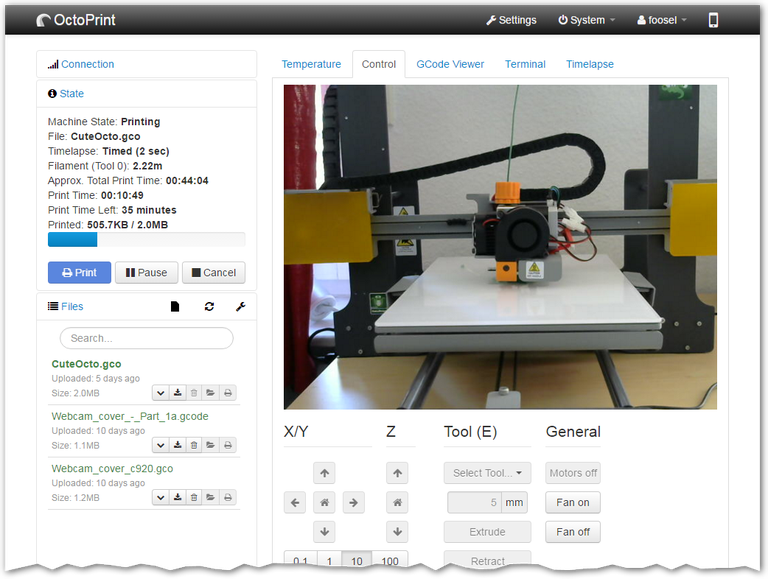
OctoPrint is a free, open-source web interface that gives you remote control over your 3D printer from any browser or phone. Its plugin ecosystem is what sets it apart — hundreds of community-built extensions add features like automatic bed leveling, time-lapse recording, and slicer integration.
Key strengths:
- Remote print monitoring and control via web browser
- G-code visualizer for verifying print paths
- Webcam integration for live print watching
- Temperature monitoring and control
- Massive plugin library for extended functionality
Trade-offs: Requires a Raspberry Pi or similar SBC to run. Initial setup is slightly technical for complete beginners.
Best for: FDM users who want remote access and deep customizability without spending money on software.
PreForm: Best for Formlabs Resin Printers
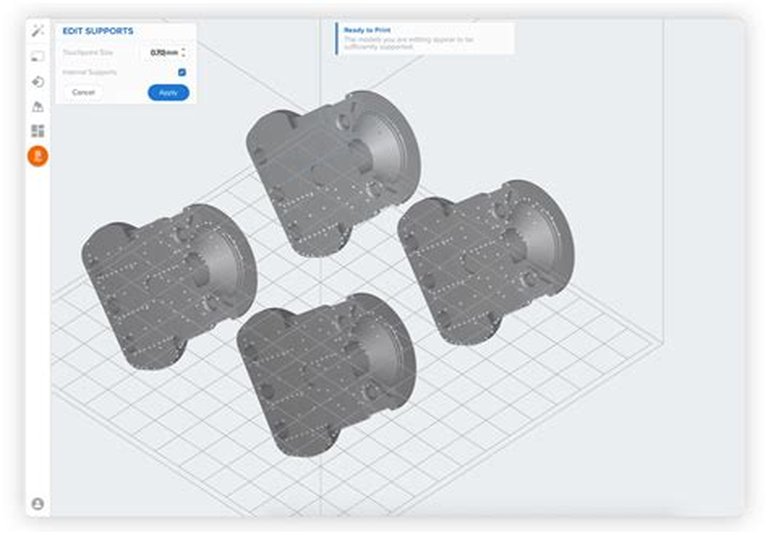
PreForm is Formlabs' free print preparation software for their SLA and SLS printers. It handles the tedious parts automatically — orienting parts for optimal printing, generating supports, and optimizing layout — while still allowing manual fine-tuning when you need it.
Key strengths:
- One-click automatic orientation and support generation
- Material profiles optimized for every Formlabs resin and powder
- Remote print monitoring (on supported models)
- Intuitive interface that works for beginners and pros
Trade-offs: Only works with Formlabs hardware. No use if you run other printer brands.
Best for: Anyone with a Formlabs printer, from first-time resin users to production shops.
3DPrinterOS: Best Cloud Platform for Fleet Management
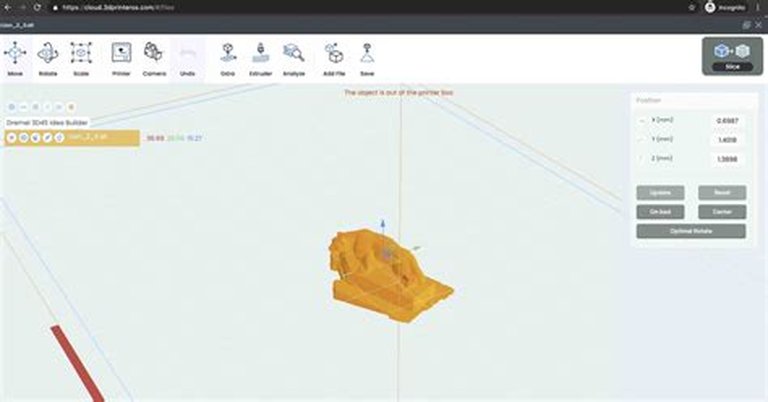
3DPrinterOS is a cloud-based platform that centralizes control over multiple printers, users, and print jobs. It includes an integrated slicer, file management, and collaboration tools — all accessible from any device with a browser.
Key strengths:
- Centralized dashboard for managing diverse printer brands
- Integrated cloud slicer
- User management and team collaboration
- Print queue and job scheduling
- Accessible from any device
Trade-offs: Requires internet connectivity. Subscription-based pricing adds ongoing cost.
Best for: Schools, makerspaces, and businesses managing multiple printers across teams or locations.
PrintStash: Best Self-Hosted File Manager for 3D Printing
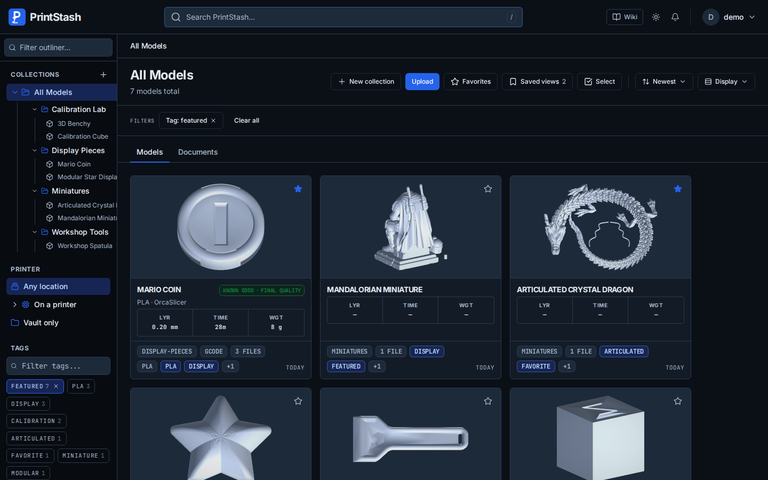
PrintStash is a free, open-source (AGPL-3.0), self-hosted file manager for 3D printing that works between your downloads and your printers by keeping the model files themselves organized. It stores STL, 3MF, OBJ, STEP, and G-code with automatic tagging, tracks G-code revisions with a known-good status so the file that printed well is easy to find again, and catches duplicate models by content hash when they are added. It connects to Klipper/Moonraker printers to send files, with beta support for OctoPrint, PrusaLink, Bambu LAN, and Elegoo. It runs on your own hardware via Docker Compose, keeps everything in a local SQLite database, and needs no cloud account.
Key strengths:
- Self-hosted library for STL, 3MF, OBJ, STEP, and G-code with automatic tagging
- G-code revision history with known-good status per file
- Duplicate detection by content hash at ingest time
- File sending to Klipper/Moonraker printers, plus beta Bambu LAN, OctoPrint, PrusaLink, and Elegoo support
- Docker Compose deployment with no cloud account or telemetry
Trade-offs: Self-hosting requires basic Docker or server comfort. Integrations beyond Klipper/Moonraker are in beta. It has no built-in slicer, so it complements rather than replaces one.
Best for: Makers, print farms, and makerspaces that have outgrown a folder of downloads and want one organized, versioned library across printers.
Simplify3D: Best Commercial Slicer for Advanced Users
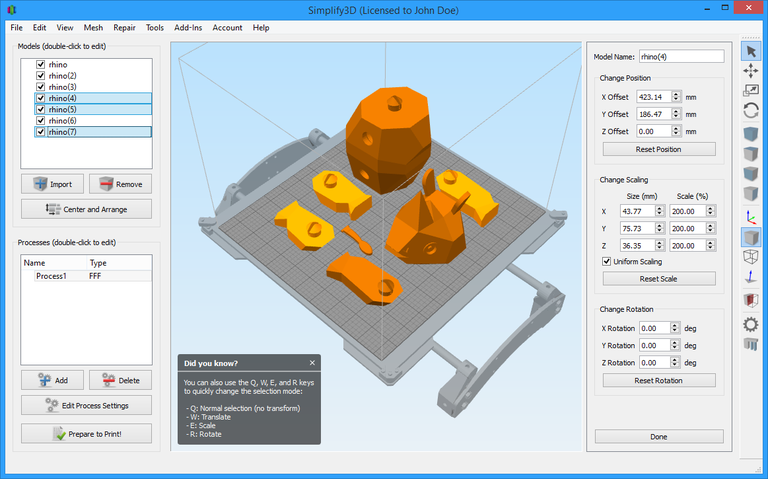
Simplify3D offers the most granular control over FDM print parameters of any commercial slicer. Its print simulation lets you preview exactly how your printer will execute each layer, and its support generation handles complex geometries better than most free alternatives.
Key strengths:
- Highly customizable print settings for fine-tuning
- Dynamic support generation with manual editing
- Full print simulation before sending to printer
- Multi-part printing with per-region settings
- Wide FDM printer compatibility
Trade-offs: Paid software with a steeper learning curve. The interface can overwhelm beginners.
Best for: Experienced FDM users and professionals who need precise control over every printing parameter.
Slic3r: Best Free Open-Source Slicer
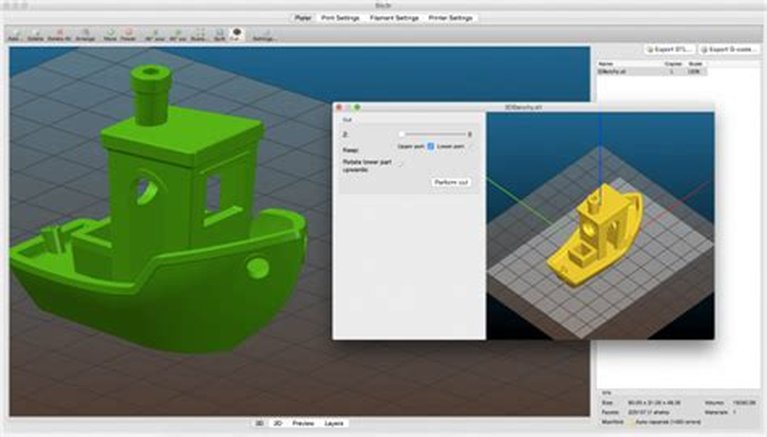
Slic3r is the open-source slicer that spawned PrusaSlicer, SuperSlicer, and other popular derivatives. While development on the original has slowed, its deep customization options and command-line interface make it a solid choice for power users who want full control without paying for software.
Key strengths:
- Completely free and open-source
- Highly customizable print profiles
- Command-line interface for automation
- Multi-material printing support
- Foundation for PrusaSlicer and other active forks
Trade-offs: UI is dated compared to newer slicers. Updates are less frequent than its derivative projects.
Best for: Hobbyists and advanced users who value open-source philosophy and deep customization.
Meshmixer: Best Free Mesh Editor for Print Preparation
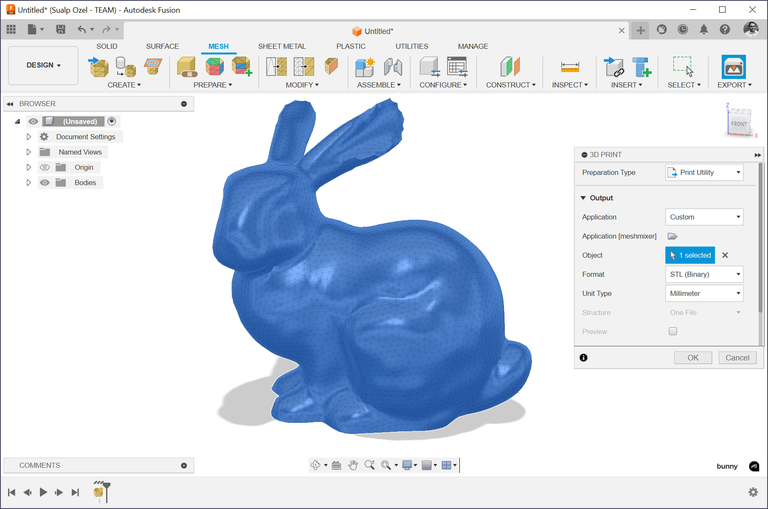
Meshmixer from Autodesk remains one of the best free tools for manipulating 3D meshes before printing. Its strength is in tasks that slicers don't handle well: hollowing solid parts, adding escape holes for resin, generating custom supports, and repairing broken meshes from 3D scans.
Key strengths:
- Mesh sculpting and editing tools
- Automatic and manual support generation
- Hollowing and thickening operations
- Mesh repair and boolean operations
- Works across FDM and SLA workflows
Trade-offs: Development has slowed significantly. Interface is functional but dated.
Best for: Users who need to clean up 3D scans or optimize meshes before slicing.
MeshLab: Best Free Tool for Mesh Processing
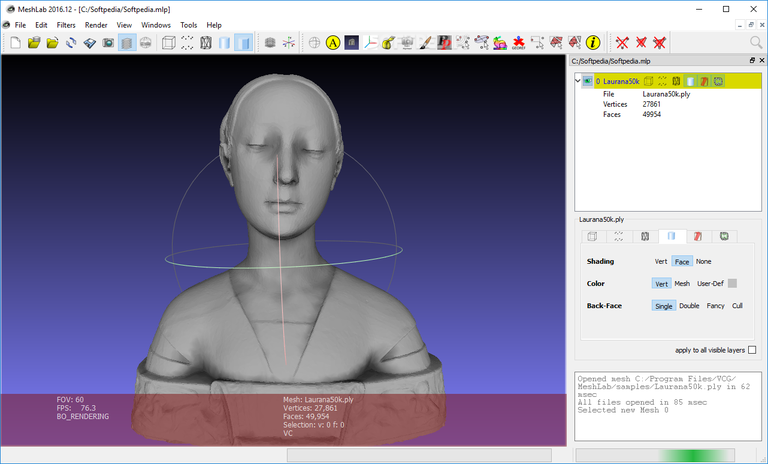
MeshLab is a free, open-source powerhouse for processing 3D triangular meshes. It excels at cleaning noisy scan data, repairing topological defects, simplifying overly complex meshes, and converting between file formats. It's not a slicer, but it's often essential before slicing.
Key strengths:
- Comprehensive mesh cleaning and repair algorithms
- Mesh simplification for reducing file size
- Wide format support for import/export
- Advanced filtering and processing tools
- Fully open-source
Trade-offs: Not a slicing tool — purely for mesh preparation. Interface has a learning curve.
Best for: Users working with 3D scan data or complex meshes that need optimization before printing.
Markforged Eiger: Best for Industrial Composite Printing
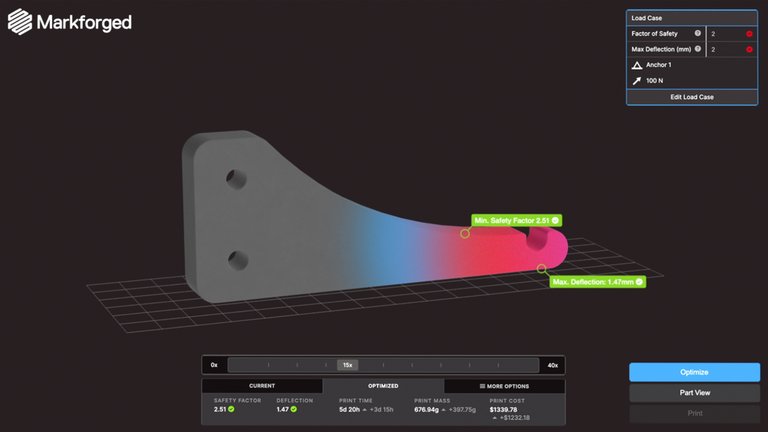
Eiger is Markforged's cloud-based software built specifically for their industrial printers that produce high-strength parts in carbon fiber, Kevlar, and metal. Its slicing algorithms are tuned for continuous fiber reinforcement — something no general-purpose slicer can match.
Key strengths:
- Optimized slicing for continuous fiber reinforcement
- Cloud-based with build queue management
- Print analytics and version control
- User permissions for team workflows
- Material profiles for industrial-grade outputs
Trade-offs: Exclusively for Markforged hardware. Subscription tiers limit some features.
Best for: Engineering teams using Markforged printers for functional, load-bearing parts.
Shapeways: Best On-Demand Printing Service
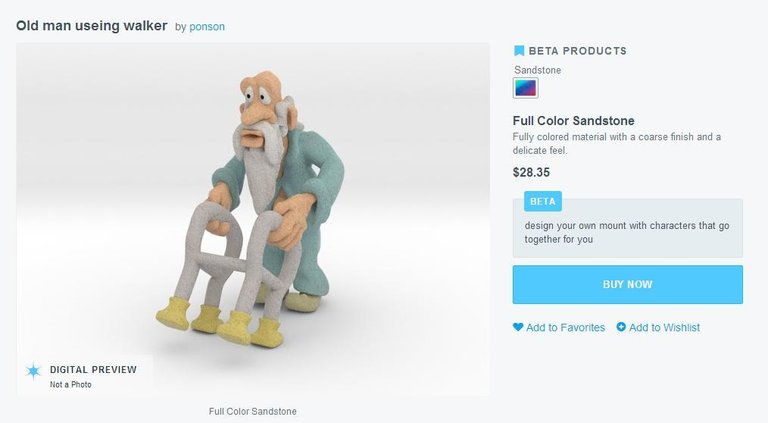
Shapeways isn't traditional software — it's a cloud platform where you upload models, choose from dozens of materials (including metals, nylons, and ceramics), and receive professionally printed parts. Its online tools handle file analysis, repair, and instant quoting. If you are still deciding whether outsourcing makes sense, compare a 3D printing service against buying your own printer first.
Key strengths:
- Access to industrial printing technologies without owning hardware
- Wide material selection including metals and ceramics
- Automatic model analysis and repair
- Instant price quotes
- Marketplace for selling designs
Trade-offs: Longer turnaround than in-house printing. Per-part costs add up for volume.
Best for: Designers and businesses that need professional-quality prints without investing in printers.
How to Choose the Right 3D Printing Software
Your choice depends on three factors:
- Your printer type — Formlabs users need PreForm, Markforged users need Eiger, FDM users have the most options
- Your workflow stage — Do you need slicing, print management, mesh repair, or all three?
- Your budget — Free tools (OctoPrint, Slic3r, MeshLab, Meshmixer) cover most hobbyist needs; paid tools add polish and automation
For most FDM hobbyists, a stack of Slic3r (or PrusaSlicer) + OctoPrint + Meshmixer covers the full workflow at zero cost. If your bottleneck is creating printable models rather than slicing them, compare the best CAD software for makers and 3D printing. Businesses running multiple printers benefit from 3DPrinterOS's centralized management. Specialized hardware (Formlabs, Markforged) pairs best with its dedicated software.
FAQ
What is the best free 3D printing software in 2026?
OctoPrint for print management, Slic3r (and its forks like PrusaSlicer) for slicing, and MeshLab or Meshmixer for mesh preparation. Together they cover the full 3D printing workflow at no cost.
Do I need separate software for slicing and print management?
Usually yes. Slicers (Simplify3D, Slic3r) convert models to G-code. Print management tools (OctoPrint, 3DPrinterOS) handle sending that G-code to the printer, monitoring progress, and managing queues. Some platforms like 3DPrinterOS include both.
What software should I use for a Formlabs printer?
PreForm. It's free, purpose-built for Formlabs SLA and SLS printers, and handles orientation, supports, and material profiles automatically.
Is Simplify3D worth paying for in 2026?
For advanced users who need granular control over every print parameter, yes. For hobbyists, free alternatives like PrusaSlicer offer comparable features with active development.
Can I use cloud-based 3D printing software without internet?
No. Cloud platforms like 3DPrinterOS and Markforged Eiger require an internet connection. For offline use, choose desktop software like OctoPrint (local network), Simplify3D, or Slic3r.