The best CAD software in 2026 is FreeCAD 1.0 (now a legitimate professional tool), Fusion 360 (the maker's Swiss Army Knife), SolidWorks (industrial automation with AI-driven documentation), Blender (visual design and mesh modeling), or Rhino 3D (best value in perpetual licensing for surface work). Which one is right for you depends on three factors: your budget, your manufacturing output, and whether you need parametric precision or freeform creativity.
Here's the short version:
| User Type | Best Pick | Why |
|---|---|---|
| Budget-conscious engineer | FreeCAD 1.0+ | Stable parametric modeling, zero cost, full data ownership |
| Maker / 3D printing hobbyist | Fusion 360 (Personal) | Integrated CAD + CAM + simulation in one platform |
| Visual designer / artist | Blender 4.5 LTS | Unmatched mesh modeling, rendering, procedural workflows |
| Industrial professional | SolidWorks 2026 | AI documentation, large assembly handling, industry standard |
| Freeform surface specialist | Rhino 3D (v9 WIP) | NURBS precision, $995 perpetual license, cross-platform |
What Changed in the CAD Landscape for 2026?
Two forces reshaped CAD this year. First, FreeCAD 1.0's release in late 2024 and its continued refinement through 2025-2026 proved that open-source parametric modeling has reached production quality. For a narrower tool-by-tool breakdown, see our guide to free open source CAD software. The Topological Naming Problem—the bug that made FreeCAD unreliable for complex projects—is effectively solved.
Second, proprietary vendors pivoted hard toward "Generative Intelligence." SolidWorks and Fusion 360 now use AI not just for generative design, but for real-time simulation and automated drawing creation. For dedicated text-to-CAD and drawing automation tools, see our AI CAD software guide.
A critical forcing function: Windows 10 end-of-support (October 2025) means all major 2026 CAD releases require Windows 11 and TPM 2.0 hardware. Many 2019-2020 workstations are now obsolete.
Best Free CAD Software: FreeCAD 1.0 and Blender 4.5
FreeCAD 1.0+: Finally a Professional Parametric Modeler
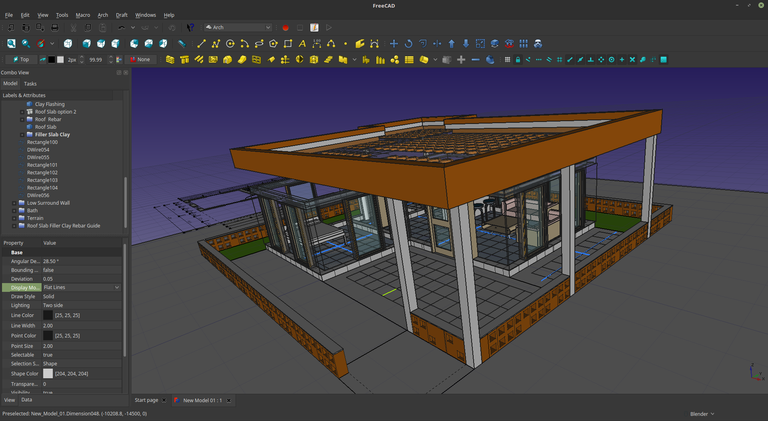
FreeCAD spent over twenty years reaching version 1.0. The wait paid off. The 2026 version delivers three critical capabilities that previously kept professionals on commercial platforms:
Topological Naming Problem solved. When you modify a base feature, downstream features no longer break randomly. The 1.0 release introduced a tracking algorithm that maintains geometric entity references through topological changes. This single fix transforms FreeCAD from "promising but fragile" to "production-ready."
Native Assembly Workbench. No more third-party assembly plugins. The integrated workbench supports bottom-up design with mating conditions and flexible sub-assemblies—hydraulic cylinders can move internally while the parent assembly stays rigid.
Modern UX overhaul. VarSets centralize parameter management (define WallThickness = 3mm once, reference everywhere). Context-sensitive pie menus, a searchable preferences tree, and a universal measurement tool replace the fragmented legacy interface.
The 2026 roadmap pushes into BIM (targeting Revit users with full IFC compliance) and FEM (CalculiX solver integration for structural analysis).
Best for: Mechanical parts, CNC manufacturing, engineers who want full data ownership with zero licensing cost.
Want to test the workflow before installing it? Launch the experimental FreeCAD Web parametric 3D editor directly in your browser.
Blender 4.5 LTS: The Mesh Modeling Titan
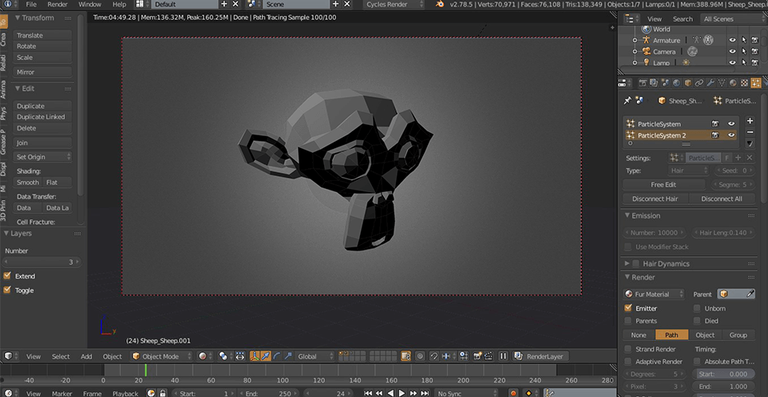
Blender dominates surface and mesh modeling. The 4.5 LTS release refined hard surface workflows with faster boolean solvers (fewer artifacts on complex intersections) and matured Geometry Nodes into a full visual programming language for procedural assets.
The CAD Sketcher plugin bridges artistic freedom and engineering precision by implementing a 2D constraint solver inside Blender. The catch: output is still mesh polygons, not NURBS solids. Perfect for 3D printing, inadequate for CNC machining.
The Blender 5.0 roadmap (late 2026) promises a new physics engine and deeper "Everything Nodes" integration that could challenge engineering CAE tools for non-critical applications.
Best for: Concept art, product visualization, organic forms for 3D printing, animation pipelines.
FreeCAD vs Blender: Which Free Tool?
| Feature | FreeCAD 1.0+ | Blender 4.5 LTS |
|---|---|---|
| Modeling Kernel | OpenCASCADE (B-Rep/NURBS) | Mesh/Subdivision (Polygons) |
| Primary Output | STEP, IGES, TechDraw (2D) | STL, OBJ, FBX, Renderings |
| Best For | Mechanical Parts, CNC | Concept Art, Sculpting |
| Parametric History | Full History Tree (Robust) | Modifier Stack (Non-destructive) |
Choose FreeCAD for precision manufacturing. Choose Blender for visual fidelity or organic forms.
Best CAD Software for Makers and 3D Printing
For a zero-install way to start modeling, SketchForge 3D provides a free, local-first browser workspace with STL and OBJ export.
Tinkercad: Zero-Friction Gateway to 3D Design
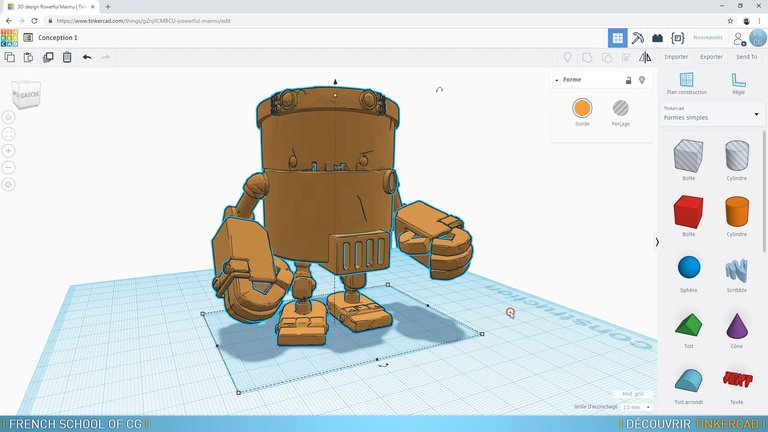
Tinkercad has evolved beyond a toy. In 2026, two features make it a legitimate rapid prototyping tool:
- Sim Lab applies physical properties (gravity, friction, density) to block-based designs. Test if a 3D-printed phone stand tips over before printing—FEA in a gamified interface.
- Codeblocks generates 3D geometry via visual programming, teaching parametric logic as a bridge to Python scripting.
The killer feature: "Send to Fusion" preserves solid geometry when you outgrow Tinkercad's capabilities. No model rebuilding required.
Fusion 360: The Maker's Swiss Army Knife
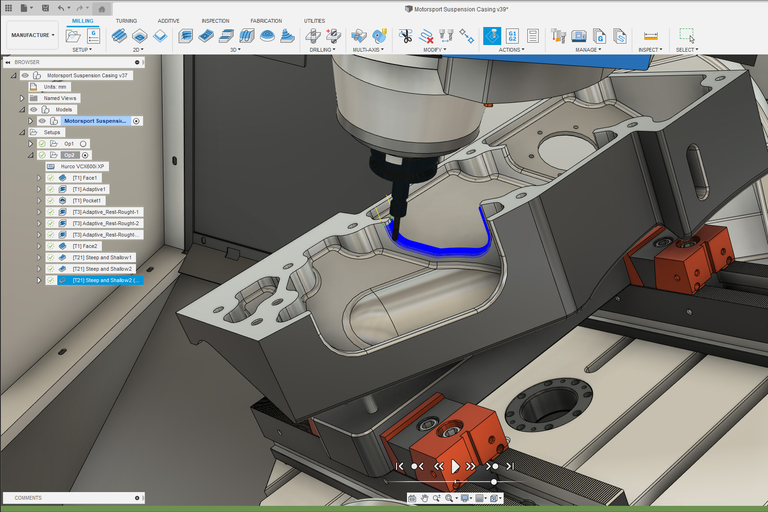
Fusion 360 combines modeling, simulation, and CAM manufacturing in one platform. The 2026 reality: the gap between Personal and Commercial licenses has widened significantly.
Personal Use limitations in 2026: - 10 active editable documents (archive to read-only to free slots) - CAM limited to 2, 2.5, and 3-axis milling (no rapid moves, no 5-axis) - Electronics: 2 schematics, 2 signal layers, 80cm2 max board area
Commercial features worth noting: - Real-time physics simulation ("Validate As You Design")—stress heatmaps update as you modify geometry - Multi-user simultaneous editing with AI conflict resolution - Full 5-axis CAM and unlimited document management
Pricing shift: Autodesk implemented 5-10% regional price increases in Southeast Asia and India. Standalone EAGLE support ends June 2026—all EAGLE users must migrate to Fusion 360.
Tinkercad vs Fusion 360 for Makers
| Feature | Tinkercad | Fusion 360 (Personal) |
|---|---|---|
| Learning Curve | Extremely Low (Minutes) | Moderate to High (Weeks) |
| Modeling Type | Primitive Boolean (Blocks) | Parametric History & Freeform |
| Simulations | Basic Physics (Sim Lab) | Static Stress (Paid Only) |
| Manufacturing | 3D Print (STL/OBJ) | 3D Print + CNC (2.5/3 Axis) |
Start with Tinkercad for simple fixtures or teaching. Upgrade to Fusion 360 for functional parts with tolerances. If your next bottleneck is slicing, print control, or mesh repair, compare the best 3D printing software before building your workflow.
Best Professional CAD Software for Engineers
SolidWorks 2026: AI-Powered Industrial Standard
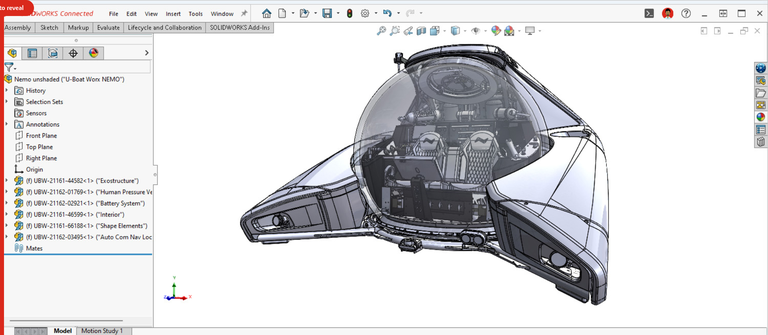
SolidWorks 2026 leverages AI to eliminate engineering friction points:
AI-Driven Drawing Generation analyzes 3D geometry to identify critical features (holes, datums) and automatically generates views, dimensions, and GD&T suggestions. This can reduce drafting workloads by up to 50%.
Selective Loading handles massive assemblies by fully loading only active sub-systems into RAM while the rest remains as lightweight graphics-only data. Standard workstations can now handle large-scale integration projects.
3DEXPERIENCE integration is standard, with browser-based "Share and Markup" for client reviews without requiring SolidWorks licenses.
Licensing: Term-based at ~$2,820/year for Standard. Legacy perpetual licenses (>$4,000 upfront + maintenance) still exist for those who seek them out.
Rhino 3D (v9 WIP): Best Value in Freeform Surfacing
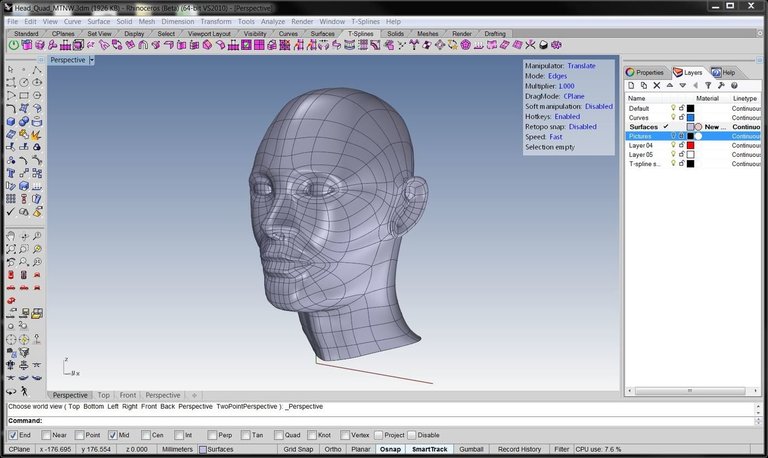
Rhino 9 WIP introduces three standout capabilities:
- ShrinkWrap creates watertight meshes around any input geometry (open surfaces, point clouds)—instantly making "dirty" scan data printable
- SoftTransform edits precise NURBS curves/surfaces with a falloff radius, combining precision with SubD intuition
- Fault-tolerant Booleans complete 98 out of 100 operations even if 2 fail, instead of aborting the entire command
The value proposition is unmatched: $995 one-time perpetual license. No subscriptions, no cloud tethers. It's the essential secondary tool for any design firm.
AutoCAD 2026: The 2D/3D Documentation Standard
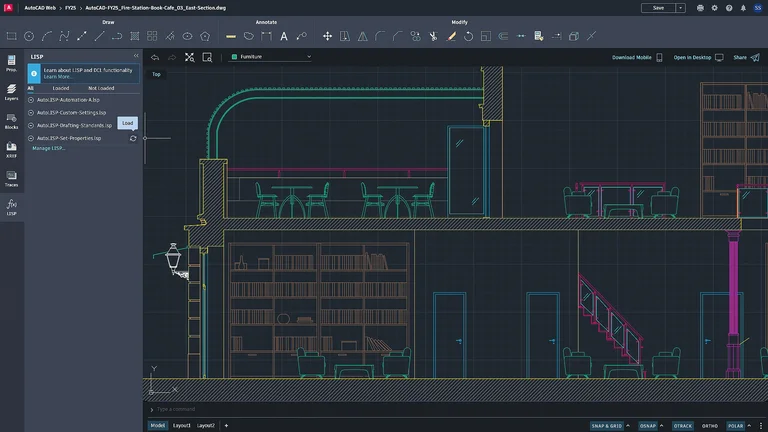
AutoCAD 2026 reinvents itself with AI-powered automation:
- Smart Blocks scan drawings to identify repetitive geometry and convert them into formal Blocks, reducing file size and standardizing data
- Apple Silicon optimization runs natively on M-series chips (M3/M4 Ultra) with up to 2x performance improvement
Pro Tool Comparison
| Feature | SolidWorks 2026 | Rhino 3D (v9 WIP) | AutoCAD 2026 |
|---|---|---|---|
| Core Strength | Parametric Engineering | Freeform Surfacing | 2D Documentation |
| Licensing | Hybrid (Term/Perpetual) | Perpetual Only | Subscription Only |
| Cost (Approx) | ~$2,820/year | $995 (One-time) | ~$2,095/year |
| OS Support | Windows Only | Win & Mac | Win & Mac |
Hardware Requirements for CAD in 2026
The Windows 10 end-of-support cliff (October 2025) forced a hardware reckoning. All major 2026 CAD releases require Windows 11 with TPM 2.0. Here's what you need:
| Component | Recommendation | Why |
|---|---|---|
| CPU | Intel Core Ultra or AMD Ryzen 9000 (4.5GHz+) | CAD is still largely single-threaded; clock speed matters most |
| RAM | 32GB minimum, 64GB standard | Selective Loading, Blender undo-stacks, and simulation demand it |
| GPU | RTX 2000 Ada (Pro/SolidWorks) or RTX 5080 (Blender) | SolidWorks needs certified drivers; Blender needs raw compute |
Emerging Trends Shaping CAD in 2026
Interoperability is winning. USD (Universal Scene Description) and glTF are becoming standard interchange formats. A SolidWorks assembly can export to Blender for rendering, then to NVIDIA Omniverse for simulation—with metadata intact.
Hybrid cloud computing. FreeCAD and Rhino champion local computation for privacy and offline work. Fusion 360 and SolidWorks use cloud "burst compute" for heavy tasks (generative design solvers, rendering farms), letting lightweight laptops perform heavy engineering.
FAQ
Is FreeCAD good enough for professional use in 2026?
Yes. FreeCAD 1.0+ solved the Topological Naming Problem, added a native Assembly Workbench, and modernized its UI. It handles complex parametric projects reliably and outputs industry-standard STEP files. The main gaps are in BIM and advanced FEM, both actively under development.
What's the best free CAD software for 3D printing?
For mechanical/functional parts: FreeCAD (parametric solids, STEP output). For organic/artistic models: Blender with CAD Sketcher plugin (mesh output, STL/OBJ). For absolute beginners: Tinkercad (browser-based, instant STL export).
Is the Fusion 360 free license still available in 2026?
Yes, the Personal Use license remains free but with tighter restrictions: 10 active documents, limited CAM (no 5-axis), and minimal electronics capabilities. It's still the most full-featured free option for makers who need integrated CAD+CAM.
Should I upgrade my workstation for 2026 CAD software?
If you're running Windows 10 on hardware without TPM 2.0 (common in 2019-2020 workstations), yes—upgrades are mandatory. All major 2026 CAD releases dropped Windows 10 support. Target 32-64GB RAM and prioritize CPU clock speed over core count.
What replaced EAGLE for PCB design?
Autodesk ends standalone EAGLE support in June 2026. All EAGLE users must migrate to Fusion 360's integrated electronics environment. The Personal license allows 2 schematics and 2 signal layers (80cm2 max board area).
Which CAD software has the best value for money?
Rhino 3D at $995 one-time (perpetual license, no subscription) offers the best long-term value for freeform surface work. FreeCAD is the best value overall at zero cost. For integrated CAD+CAM+simulation, Fusion 360 Personal is unbeatable if the 10-document limit works for your workflow.