Four free, open-source CAD tools cover nearly every design workflow in 2026: FreeCAD for parametric 3D modeling, LibreCAD for 2D drafting, OpenSCAD for script-based geometry, and Blender for organic 3D modeling and visualization. All run on Windows, macOS, and Linux. If you want open-source options in context with paid professional tools, start with the broader best CAD software comparison.
Which Free CAD Tool Do You Need?
| Design Need | Best Tool | Why |
|---|---|---|
| Parametric 3D parts & assemblies | FreeCAD | Feature-based history, FEM, CAM workbenches |
| 2D technical drafting | LibreCAD | Lightweight, DXF/DWG support, familiar AutoCAD-like UI |
| Code-driven parametric models | OpenSCAD | Script-based CSG, ideal for 3D printing |
| Organic shapes & visualization | Blender | Sculpting, rendering, animation — all free |
FreeCAD: The Open Source Parametric Powerhouse
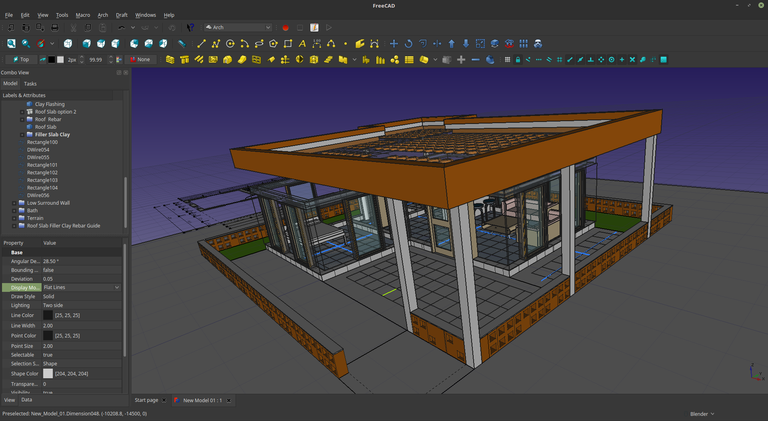
FreeCAD is the most capable general-purpose open-source parametric 3D CAD modeler available. Its modular architecture uses specialized workbenches for architectural design, finite element analysis (FEM), CAM/CNC toolpaths, and robotics simulation.
Key capabilities:
- Parametric modeling with full feature history
- Constraints-based Sketcher for 2D profiles
- FEM, Path (CAM), Arch, and Robot workbenches
- Python scripting for automation and custom tools
- Active addon ecosystem
Trade-offs: The learning curve is steeper than commercial tools, and the UI can feel complex to newcomers. Complex models occasionally hit stability issues.
Best for: Mechanical engineers, product designers, architects, and makers who need advanced 3D parametric modeling and simulation without paying for SolidWorks or Fusion 360.
Try it online: Launch the experimental FreeCAD Web parametric 3D editor in your browser without installing the desktop application.
LibreCAD: Lightweight 2D Drafting Done Right
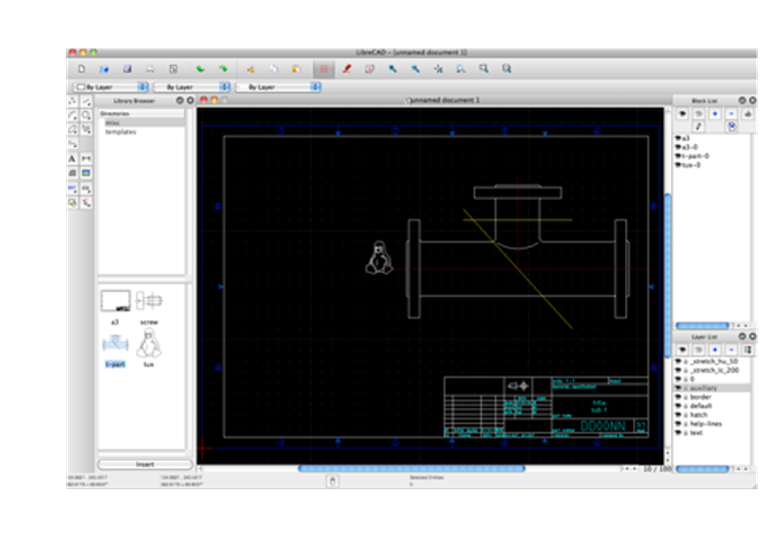
LibreCAD is a mature, focused 2D CAD application. If your work is floor plans, schematics, or dimensioned technical drawings, LibreCAD handles it without the overhead of a 3D engine.
Key capabilities:
- Full 2D drawing, dimensioning, and annotation toolset
- Layers, blocks, and hatching
- Reads DXF and DWG; exports DXF, SVG, and PDF
- Runs well on older hardware
- Available in dozens of languages
Trade-offs: Strictly 2D — no 3D modeling. DWG import depends on external libraries and may not handle every file version perfectly.
Best for: 2D technical drafting, architectural floor plans, electrical schematics, and anyone who needs a free AutoCAD LT alternative.
Try it online: Open the experimental LibreCAD Web 2D CAD editor to draft and edit DXF drawings in a compatible browser.
OpenSCAD: Code Your CAD Models
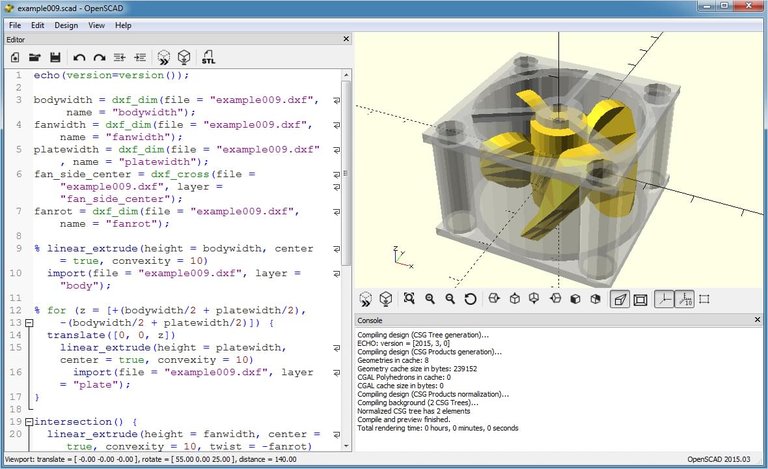
OpenSCAD replaces click-and-drag modeling with a text-based scripting language built on Constructive Solid Geometry (CSG). You describe geometry in code, and OpenSCAD renders the result.
Key capabilities:
- Script-based modeling using CSG primitives and extrusions
- Fully parametric — change a variable, regenerate the model
- Exports STL for 3D printing
- Version-control friendly (plain text source files)
Trade-offs: No visual interactive modeling. Organic or sculpted shapes are impractical. Requires learning the scripting language.
Best for: Programmers, engineers creating parametric parts, and 3D printing enthusiasts who value precision and reproducibility over visual editing.
Blender: Professional 3D Creation, Completely Free
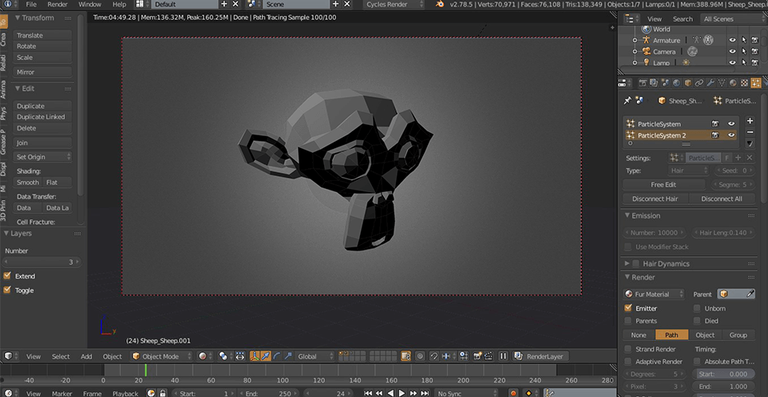
Blender is primarily an animation and VFX suite, but its modeling tools — polygon, sculpting, and curve-based — make it a powerful option for CAD-adjacent work, especially organic shapes and 3D print preparation.
Key capabilities:
- Advanced polygon modeling and digital sculpting
- Precision add-ons like CAD Sketcher for constraint-based workflows
- Photorealistic rendering (Cycles) and real-time preview (Eevee)
- Animation, simulation, and video editing built in
Trade-offs: Not a parametric CAD tool — the workflow differs significantly from traditional engineering CAD. Precision modeling requires add-ons. Can feel overwhelming if you only need basic geometry.
Best for: Concept modeling, organic shapes, visualization, and preparing complex models for 3D printing when artistic control matters more than engineering constraints.
Other Notable Free CAD Options
- SolveSpace — a lightweight parametric 2D/3D modeler with constraint solving, good for simpler mechanical parts.
- QCAD Community Edition — another solid 2D drafting tool with a clean interface and DXF support.
- SketchForge 3D — a free, local-first browser editor for building and exporting maker-friendly 3D models.
How to Choose the Right Free CAD Software
- Define your dimension: 2D drafting only? Go with LibreCAD or QCAD. Need 3D? Continue below.
- Parametric or direct? If you need history-based, dimension-driven models, choose FreeCAD or OpenSCAD. For freeform shapes, choose Blender.
- Visual or code? If you prefer writing geometry as code (and want Git-friendly files), OpenSCAD is the answer. Otherwise, FreeCAD's GUI is more conventional.
- Check your use case: Mechanical parts → FreeCAD. Artistic/organic models → Blender. Precise 2D plans → LibreCAD. Parametric 3D-print parts → OpenSCAD.
FAQ
Is FreeCAD good enough to replace SolidWorks? For many workflows, yes. FreeCAD supports parametric modeling, assemblies, FEM analysis, and CAM. It lacks some polish and advanced surfacing tools, but handles standard mechanical engineering tasks well.
Can I open AutoCAD DWG files in free CAD software? LibreCAD and FreeCAD both read DWG files via external libraries. Compatibility varies by DWG version — DXF is generally more reliable for interchange.
Which free CAD software is best for 3D printing? OpenSCAD for precise parametric parts, FreeCAD for more complex assemblies, and Blender for organic or artistic models. All export STL. For slicers, print management, and mesh repair, compare the best 3D printing software options.
Do these tools run on Mac and Linux? Yes. FreeCAD, LibreCAD, OpenSCAD, and Blender are all cross-platform — Windows, macOS, and Linux.
What is the easiest free CAD software to learn? LibreCAD for 2D work (familiar AutoCAD-like interface). For 3D, FreeCAD has the most conventional CAD workflow, though it still requires time investment.
Compare these tools side-by-side with pricing, features, and user reviews in the CAD software directory on The CAD Hub.