Zoo Modeling App
Zoo Modeling App combines point-and-click and code-driven CAD workflows, using remote GPU processing for fast, high-fidelity modeling performance.
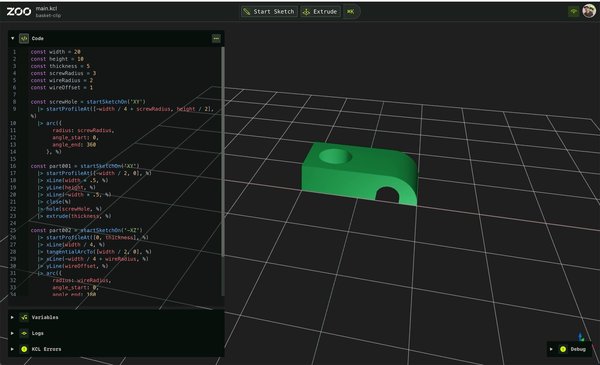
About Zoo Modeling App
- Professional-grade CAD modeling with point-and-click and code-based design
- Powered by remote GPU Geometry Engine for high performance and low latency
- Combines GUI and code seamlessly, translating clicks into editable KCL code
- Supports version control and automation for design workflows
- Runs on any device with cloud-based streaming, no heavy hardware required
Technical Specifications
Platforms
Windows, macOS, Linux
Latest Version
v0.47.0
License Type
Free
Pricing
Free
Free
Alternatives

SketchForge 3D
A free, open-source, local-first 3D design editor for creating, modifying, importing, and exporting…

SketchUp
SketchUp empowers users with a robust toolset to create anything imaginable, from architectural des…

CAD Exchanger
CAD Exchanger supports over 30 CAD and BIM formats, including SOLIDWORKS, CATIA, Siemens NX, STEP, …
User Reviews
No reviews yet. Be the first to review Zoo Modeling App!