If you only need a few parts, want better finishes or special materials, or do not want to deal with calibration, ventilation, and failed prints, an online 3D printing service is usually the smarter first move. Buy your own printer when you expect to print often, want same-day iteration, and are comfortable trading convenience for lower per-part cost over time. Formlabs explicitly recommends outsourcing for occasional jobs or parts that need large build volumes or non-standard materials, while Protolabs frames the make-or-buy choice around five variables: quality, quantity, speed, accuracy, and material selection.
Quick answer: Start with a service for one-off prototypes, miniatures, premium finishes, nylon or metal parts, and anything you need before next week. Buy a printer when prints become weekly, you want to iterate the same day, and you accept the upkeep, fumes, and learning curve that come with ownership.
The 3P Make-or-Buy Test
Most "service vs printer" content compares sticker prices. That misses how beginners actually decide. The 3P test reframes the choice around three forces that change the answer:
| Factor | Lean toward a 3D printing service when… | Lean toward buying a printer when… |
|---|---|---|
| Projects — how many prints in the next 90 days? | A handful of one-offs, gifts, school items, or prototypes | Weekly or monthly use, multiple iterations of the same design |
| Precision — how demanding are detail, tolerance, finish, materials? | You need SLA/SLS/MJF tolerances, nylon, flexible parts, metal, or a smooth presentation finish | PLA/PETG-grade hobby parts are good enough |
| Patience — how much setup, troubleshooting, post-processing, and ventilation can you handle? | You want a finished part shipped to you | You enjoy slicers, first-layer tuning, and accept routine maintenance |
Use it as a three-question gate. If two of the three answers point to "service," skip the printer purchase for now — you can validate the hobby with several outsourced parts before committing to hardware.
What an Online 3D Printing Service Actually Does
An online 3D printing service is a web platform where you upload a 3D file, choose material and finish, get an instant quote, and have the finished part shipped to you. Sculpteo describes its core workflow as upload-review-quote-order with no minimum order quantity and support for 30+ file types and 75+ material/finish combinations. Major providers — Protolabs, Hubs, Sculpteo, Xometry, Craftcloud, Form Now, and Shapeways — vary on quoting model, but the beginner workflow is the same.
You do not need CAD skills to use one. You only need a 3D file (commonly STL, STEP, or OBJ) and a credit card. If you cannot model the part yourself, a downloaded model from Printables or Thingiverse, or a part designed by someone else, will quote and print just fine.
Cost Comparison: Service vs Ownership
Service pricing is real and variable. Ownership cost is real and almost always underestimated.
What drives service cost
Protolabs Network (Hubs) lists six cost drivers for service quotes: material, production time, printer/process choice, dimensional accuracy, surface finish, and post-processing. Public Form Now examples show sample parts from about $16.50 to $42.24 depending on size and material, with 2-day or as-soon-as-3-day delivery language. Those are not universal quote benchmarks, but they are a useful sanity check for what a single small SLA part can cost.
What drives ownership cost
Beginners focus on printer MSRP and forget the rest. Prusa's price calculator explicitly includes filament, electricity, labor, machine/upkeep, and "other" costs, and Prusa's how-to-calculate guide adds an explicit margin for failed prints.
Concrete current data points for first-time buyers:
| Item | Example | Source |
|---|---|---|
| Hobby FDM printer | Bambu Lab A1 mini at $219 | Bambu Lab US Store |
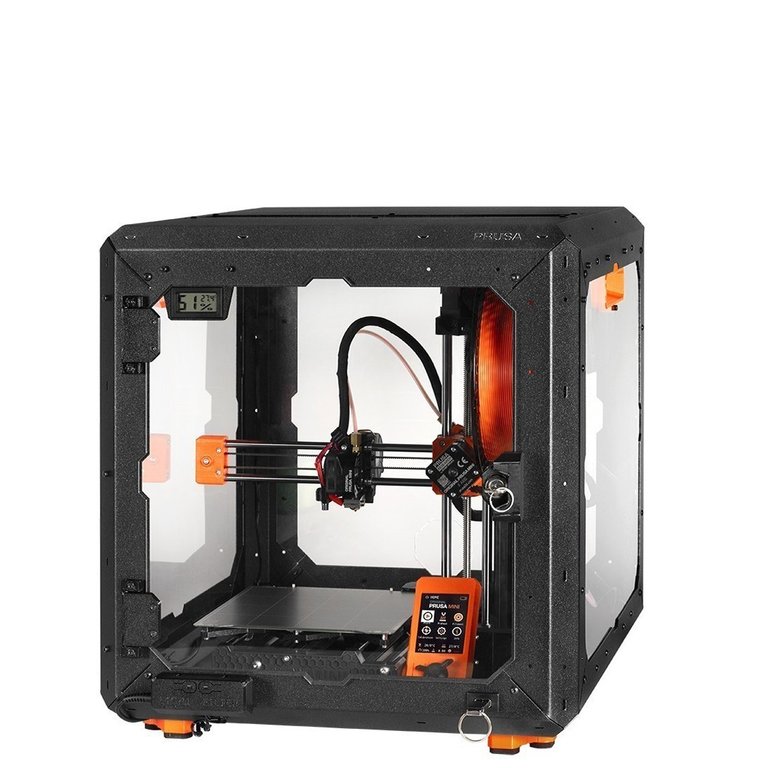
| Beginner-friendly FDM | Original Prusa MINI+ at $508.33 (bundle) | Prusa |
| PLA filament | Bambu Lab PLA Basic MSRP $19.99/kg | Bambu Lab Store |
| Resin (SLA) consumable | Formlabs general-purpose resins from $79 | Formlabs Materials |
| Printer market range | Roughly $200 to $500,000+ | Formlabs cost guide |
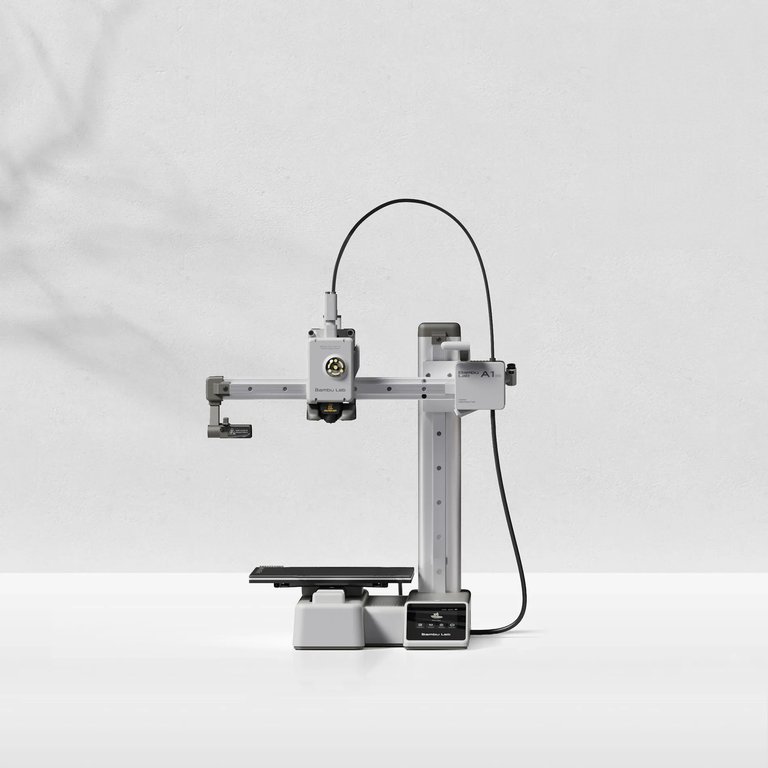
A practical heuristic: a beginner can usually order three to ten service parts for the price of an entry-level printer plus its first spool, gloves, scrapers, and a small enclosure. That is enough to test whether they actually want a hobby before buying hardware.
Hidden cost categories beginners miss
- Labor and prep time — slicing, supports, plate prep, restarts after a failure.
- Failures — Prusa's guide flags this as a real, recurring cost line.
- Environmental controls — enclosure, filtration, a vent route.
- Post-processing — sanding, gluing, filling, painting, resin wash and UV cure.
- Tools and consumables — nozzles, build plates, scrapers, IPA, gloves.
Speed: When Each Side Actually Wins
"Fast" means different things on each side of this comparison.
Home ownership wins on "start now." You can slice and start printing within minutes of opening the box on most modern FDM printers. There is no shipping wait.
Services win on predictable lead time. Protolabs advertises 3D printing in as fast as 1 day for urgent jobs. Hubs publishes standard lead times of 2 business days for prototyping FDM and 3 business days for MJF and SLS — plus shipping.
A few honest caveats:
- "As fast as 1 day" is a best-case claim, not a typical lead time for every part.
- Marketing speed specs like "600 mm/s" on the Creality K1 describe the toolhead's max travel speed, not how long a real part takes once you include acceleration, slow perimeters, and supports.
- Beginner setup is not instant either. Even the friendly Prusa MINI/MINI+ requires first-layer calibration before you get a clean print.
Quality: It's About the Process, Not the Word "3D Printing"
The single biggest mistake first-time buyers make is treating "3D printing" as one quality tier. Process choice controls almost everything about finish and tolerance, and Formlabs is unusually direct that printer resolution and layer height are not the same as final dimensional accuracy.
| Process | Typical tolerance | Strengths | Trade-offs |
|---|---|---|---|
| Desktop FDM | ±0.5% / ±0.5 mm | Cheap, wide material range, easy to own | Visible layer lines, weaker fine detail |
| SLS / MJF (industrial nylon) | ±0.3% / ±0.3 mm | Functional nylon parts, no supports, complex geometries | Service-only for most beginners |
| Industrial SLA | ±0.2% / ±0.13 mm lower limit | Smoothest finish, finest detail | Resin handling, cure step |
Source: Hubs Manufacturing Standards and Hubs on dimensional accuracy.
Home FDM can still be "good enough." In one PubMed-indexed study, consumer-grade FDM at 100 μm produced 0.44% dimensional error versus 0.30% for industrial SLS in a medical-model context. That is impressive, but it is a controlled application — not proof that every hobby FDM print matches service quality across miniatures, cosplay, and engineering parts.
Reliability is also a quality variable. Formlabs' independently tested reliability white paper measured 98.7% print success on the Form 4 across 225 prints, compared with 86.2% and 74.7% on two low-cost competitor resin machines. Vendor-sponsored, but a useful reminder that "it printed once on YouTube" is not the same as "it prints every time."
Hidden Hassle of Ownership
Owning a printer is not just slicing and pressing print. Ownership includes:
- Calibration and tuning. Even friendly machines need first-layer setup and occasional re-leveling.
- Maintenance. Belts, nozzles, build plates, lubrication, firmware.
- Failures. Spaghetti, layer shifts, warped corners, ruined plates.
- Indoor air. The U.S. EPA notes that material-extrusion printers can release VOCs and ultrafine particles in the 1–100 nm range, and CDC / NIOSH recommends controls including lower-emission materials, enclosures, ventilation, and limiting time near a running printer. This is not "printers are unsafe" — it is "treat them like any other indoor process and ventilate."
- Post-processing. Sanding, gluing, painting, and (for resin) IPA wash and UV cure with gloves.
Protolabs' outsource article is candid that desktop machines are slower, less accurate, smaller, and need more maintenance than most first-time buyers expect.
Materials and Finishes Most Beginners Cannot Replicate at Home
Services unlock materials and finishing options that are realistically out of reach for a first home printer. Protolabs lists plastics and metals including nylon powders and direct metal processes. Sculpteo advertises 75+ material/finish combinations. Hubs vapor smoothing can reduce surface roughness and produce parts that are easier to clean — useful for presentation models and functional housings.
If your project needs nylon clips, flexible TPU at high quality, metal, or a smoothed surface from day one, that is a strong signal to outsource.
Scenario Recommendations
| Scenario | Better choice | Why |
|---|---|---|
| One model for a class project next week | Service | No machine purchase, no calibration, instant quote, no minimum order |
| Weekly organizers, fixes, and small gadgets | Buy basic FDM | Cheap consumable, iteration speed matters more than peak finish |
| Presentation prototype or detailed miniature | Service (SLA/SLS/MJF) | Smoother finish and finer detail than desktop FDM |
| Nylon clips, hinges, or wear-resistant parts | Service | SLS/MJF and engineering materials are service-grade by default |
| Large cosplay armor sections, repeated | Buy FDM | Low cost per kg PLA, big build volume needs, post-sanding expected |
| "Hero" part with a clean tactile surface | Service with finishing | Vapor smoothing and pro post-processing |
A Simple Decision Tree
- One-off or occasional project? → Start with a service.
- Need nylon, metal, premium finish, or tight tolerances? → Service.
- Need same-day iteration on many prints? → Buy a printer (start with FDM).
- Low patience for troubleshooting, fumes, or maintenance? → Service.
- Enjoy tinkering and want a long-term hobby? → Buy, starting with FDM.
For a deeper look at the hardware side of step 3, see our guide to 3D printers for beginners. For the software you'll need either way, the best 3D printing software covers slicers and mesh tools.
Risks, Caveats, and Honest Trade-offs
- "Service is always cheaper for one-offs" is too absolute. Material, process, finish, and lead time all swing the price.
- Tolerances depend on geometry. Service bureaus do not guarantee tolerances on first orders of a new design without manual quote review.
- Marketing speed claims are not job turnaround. A 600 mm/s rating does not mean a real part beats a 2-day service workflow.
- Consumer printers can be "accurate enough," but only for jobs that don't need premium tolerance or finish.
- Indoor-air concerns are real but manageable — the right response is ventilation, enclosures, and lower-emission materials, not panic.
Frequently Asked Questions
Is a 3D printing service cheaper than buying a printer? Usually yes for one-off or occasional parts. Buying gets more attractive when prints are frequent enough to spread hardware and upkeep cost over many jobs.
How much does a 3D printing service cost? It varies by material, part volume, process, post-processing, and lead time. Public Form Now examples range from about $16.50 to $42.24 per sample part, but these are illustrative, not universal benchmarks.
How fast is an online 3D printing service? Protolabs advertises as fast as 1 day, while Hubs publishes standard lead times of 2 business days for prototyping FDM and 3 business days for SLS and MJF — plus shipping.
What is rapid prototyping 3D printing? Formlabs defines rapid prototyping as quickly fabricating a physical part or assembly from a 3D design so teams can iterate fast between digital and physical versions.
Can I order just one prototype from an online 3D printing service? Yes. Sculpteo says there is no minimum order quantity, and most major services market instant quotes for single parts.
What file types do online 3D printing services accept? Common formats include STEP, STP, IGES, IGS, SLDPRT, 3DM, SAT, STL, OBJ, and X_T. Sculpteo lists support for 30+ file types.
Are home 3D printers accurate enough for prototypes? Often yes for simple or non-critical prototypes. A peer-reviewed study found consumer FDM at 100 μm hit 0.44% dimensional error versus 0.30% for industrial SLS, but required accuracy is always application-specific.
When should I use SLA, SLS, or MJF instead of a home FDM printer? When you need smoother cosmetic surfaces, finer detail, nylon-based functional properties, or tighter dimensional expectations than desktop FDM reliably provides.
Do home 3D printers need ventilation? EPA and NIOSH both say filament printers emit VOCs and ultrafine particles and recommend controls — enclosures, ventilation, lower-emission materials, and reducing time near active prints.
What is the hidden cost people forget when buying a printer? Labor, troubleshooting time, machine upkeep, and failed prints. Prusa's pricing tools call all of these out explicitly.