If you're buying your first 3D printer, start with FDM 3D printing in most cases. Choose an SLA printer (resin) only when tiny details and smooth surfaces matter more than convenience, and you're comfortable handling liquid resin and a post-cure step. Choose SLS mainly when you need strong nylon parts without support structures—and for most beginners that means ordering through a print service first, not buying a powder-bed machine. Manufacturers and service bureaus broadly agree on this tradeoff: Formlabs frames FDM as the most widely used consumer process, SLA as the detail-and-finish choice, and SLS as the support-free functional-parts choice.
Quick answer: FDM = cheap, simple, everyday prints (cosplay, toys, household fixes, school projects). SLA = fine detail and smooth surfaces (miniatures, busts, jewelry prototypes), with more cleanup. SLS = durable nylon and complex support-free geometry, usually outsourced to a print service before you ever buy a machine.
The Beginner Home-Use Fit Framework
Most comparison pages rank these three processes on spec sheets—speed, resolution, accuracy. That's the wrong lens for a first printer at home. What actually decides the answer is how the machine fits your space, your budget, and your patience. This framework weights five factors the way a beginner should weight them, then scores each process 1–5.
| Decision factor | Weight | FDM | SLA | SLS |
|---|---|---|---|---|
| Total startup cost | 35% | 5 | 3 | 1 |
| Daily workflow simplicity | 25% | 4 | 2 | 2 |
| Fine detail / smooth finish | 20% | 2 | 5 | 3 |
| Functional durability / design freedom | 10% | 4 | 2 | 5 |
| Home-use safety overhead | 10% | 4 | 2 | 2 |
This is an editorial synthesis of the evidence below, not a published industry standard. Read it like this: FDM wins by default because cost and daily simplicity carry the most weight for a first-time buyer. SLA wins when you deliberately trade convenience for cosmetic quality. SLS wins only when the part genuinely demands support-free functional nylon—a condition that usually points to an outsourced order rather than an in-home purchase.
A Quick Terminology Cleanup (It Matters for What You Buy)
Before comparing, fix two naming problems that trip up buyers and search engines alike.
"FDM" is a trademark. Fused Deposition Modeling is a registered trademark of Stratasys. The generic, standards-aligned term is material extrusion (or FFF, fused filament fabrication), which NIST uses for the broader process category. In everyday shopping, "FDM 3D printing" still means the same thing: melting and extruding thermoplastic filament through a heated nozzle, layer by layer.
"SLA printer" usually means "any resin printer" in shopping language—but not in strict technical language. True SLA cures resin with a laser. Most affordable consumer resin machines are actually MSLA/LCD or DLP printers within the broader vat photopolymerization family. Formlabs confirms laser SLA, DLP, and MSLA/LCD are all stereolithography-style resin processes. So when this guide says "SLA printer," read it as "resin printer," which is how most buyers search.
How Each Process Works, in Plain English
FDM 3D printing (material extrusion / FFF)
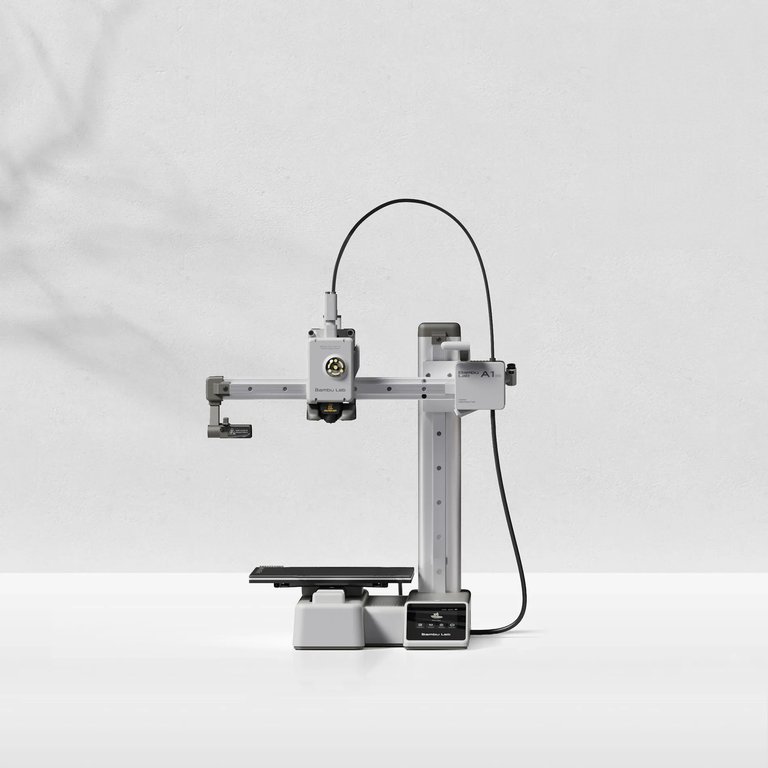
A heated nozzle melts plastic filament—commonly PLA or PETG—and lays it down line by line to build the object. It's the most widely used type of 3D printing at the consumer level, it's many people's first printer, and its simplicity makes it a low-commitment way to start.
SLA / resin printing (vat photopolymerization)
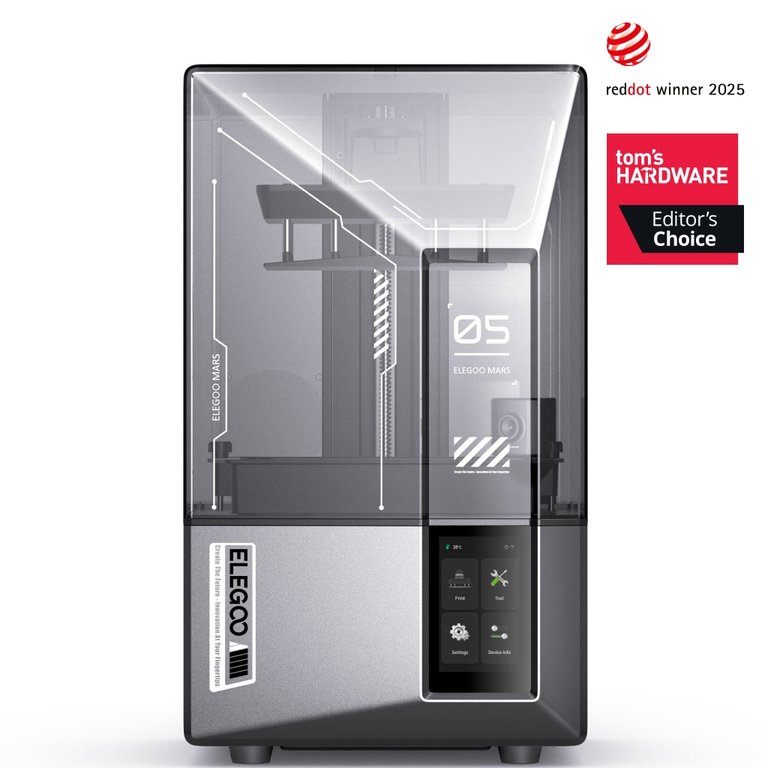
A light source cures liquid photopolymer resin inside a vat, hardening it layer by layer. Resin printing is prized for high accuracy, fine features, and superior surface finish, which is why UltiMaker points it at jewelry, dental models, and intricate prototypes. The catch is the workflow: parts need washing and UV post-curing.
SLS 3D printing (powder bed fusion)
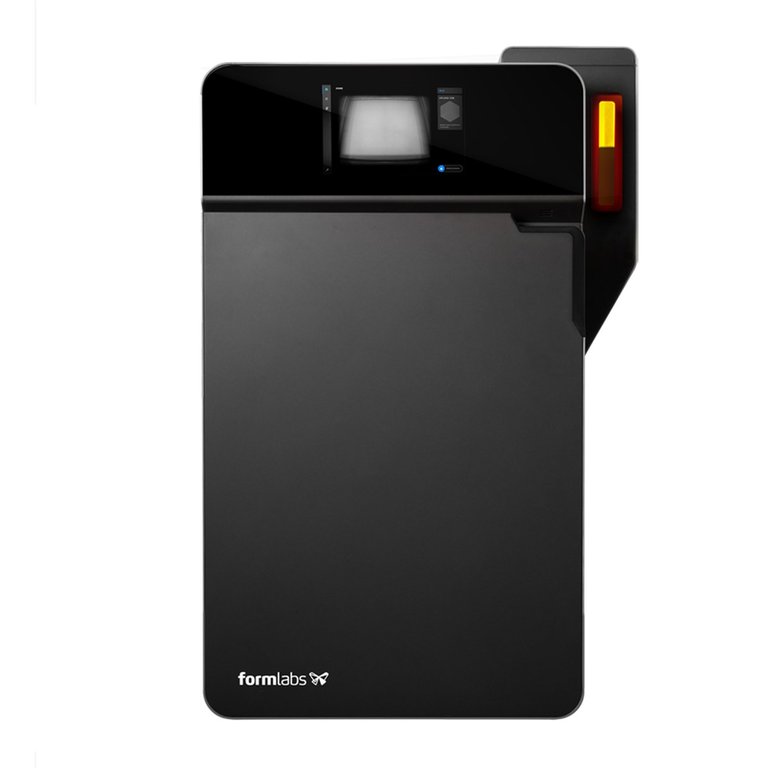
Selective laser sintering uses a high-powered laser to fuse polymer powder—typically nylon—layer by layer in a bed of powder. Its defining advantage: the surrounding unsintered powder supports the part, so SLS needs no support structures, which enables complex geometries and even interlocking, moving parts printed in place.
Side-by-Side Comparison
| FDM | SLA (resin) | SLS | |
|---|---|---|---|
| Material | Thermoplastic filament (PLA, PETG) | Liquid photopolymer resin | Nylon powder |
| Best for | Cheap, larger, everyday parts | Fine detail, smooth surfaces | Durable, complex, support-free parts |
| Detail / finish | Visible layer lines | Smoothest, sharpest | Good; slightly grainy surface |
| Supports needed | Often, depending on geometry | Yes, removed after printing | No—powder is the support |
| Post-processing | Support removal | Wash + UV cure | Powder recovery + cleanup |
| Safety overhead | Lower day-to-day | Resin handling discipline | Powder management |
| Entry hardware example | Bambu Lab A1 mini ~$219 | Elegoo Mars 5 Ultra ~$269 | Formlabs Fuse 1+ from $24,649 |
| Realistic for a first home buy? | Yes | Yes, with extra care | Usually no—use a service |
Hardware prices are example snapshots: the Bambu Lab A1 mini is listed at $219, the Elegoo Mars 5 Ultra at $269, and the Formlabs Fuse 1+ SLS system starts at $24,649 (about $52,942 for a complete setup). Those numbers are why SLS is rarely a first purchase.
Match the Process to What You Actually Print
The cleanest way to choose is to route by use case rather than by spec.
| If you mostly make… | Choose | Why |
|---|---|---|
| Cosplay props, large parts, household fixes, toys, school projects | FDM | Cheapest per part, big build volumes, simple thermoplastic workflow |
| Miniatures, character busts, jewelry prototypes, display models | SLA / resin | Finest detail and smoothest surfaces |
| Snap-fit housings, hinges, moving assemblies, short-run nylon parts | SLS (via service) | Support-free, durable nylon and nested-part batches |
For larger, cheaper prints where you can tolerate visible layer lines, FDM's low material cost and simple operation make it the obvious fit. For tiny, smooth, highly detailed pieces, resin's surface quality wins—budget MSLA machines like the Mars 5 Ultra advertise 18 µm XY resolution, which is why miniature buyers keep choosing resin. For functional nylon parts with moving features, SLS is the technical winner, but the right first move is usually to outsource a one-off to a 3D printing service.
Cost: Hardware Is Only the Start
Sticker price ranks FDM cheapest, resin close behind, and SLS in a different universe. But total cost includes consumables and workflow.
- FDM materials are cheap. Formlabs estimates common FDM filaments like PLA and PETG run roughly $20–$50/kg, generally below SLA resins (starting around $50/kg).
- Resin adds a workflow tax. Budget resin printers are cheap to buy, but the sticker price excludes resin, IPA for washing, gloves, and a cure step.
- SLS economics are about powder reuse, not just powder price. Material gets reclaimed between builds—Formlabs cites a 30–50% refresh rate for Nylon 12, meaning up to ~70% reclaimed powder—so the real cost story is more nuanced than "powder is expensive."
A practical heuristic: for the price of an in-house SLS system, a beginner could outsource hundreds of nylon parts and still come out ahead—while skipping the powder handling entirely.
Safety Is "Overhead," Not "Safe vs Unsafe"
Avoid the trap of labeling one process safe and another dangerous. Public-health guidance is clear that hazards vary by technology, material, and environment.
CDC/NIOSH notes that desktop filament printers can emit respiratory irritants, that liquid resins raise dermal-exposure and irritation/sensitization concerns, and that powder processes add inhalation and handling considerations. The U.S. EPA adds that 3D printing can release ultrafine particles and VOCs, and that recommended controls include lower-emission materials, enclosures, ventilation, and spending less time near a running printer.
The honest beginner takeaway:
- FDM usually has the lowest day-to-day safety overhead—but still ventilate and consider an enclosure.
- SLA demands more handling discipline: gloves, careful resin cleanup, and IPA washing.
- SLS introduces powder-management complexity, another reason it leans commercial.
This is about controlling exposure and workflow, not panic.
Speed and Accuracy Claims Are Context-Dependent
Be skeptical of blanket "X is faster" or "X is more accurate" statements—the sources themselves disagree.
On speed: Xometry says SLA can print quicker than FDM in some comparisons, while other explainers note FDM often prints faster in practice because resin is usually run at finer layer heights. Formlabs publishes a benchmark where a Form 4 prints one example game-controller part in 1 hr 38 min versus 3 hr 37 min on a "benchmark FDM" printer—under that specific test. That's not proof SLA is always faster; it proves speed depends on geometry, layer height, part count, and machine architecture.
On accuracy and finish: a 2023 review in The International Journal of Advanced Manufacturing Technology found that a uniform standard for evaluating the roughness and dimensional accuracy of 3D-printed polymer objects does not currently exist. So treat "SLA is X% more accurate" claims with caution.
Why Support Structures Are a Deciding Factor
Supports are temporary material that hold up overhangs during printing. In FDM and SLA, you'll often need them depending on geometry, and removing them is part of the work—Stratasys offers breakaway and soluble FDM supports, while resin prints are printed on supports that get clipped off afterward.
SLS is the exception, and it's its biggest practical advantage. Because loose powder surrounds and supports the part, you can print complex geometries and interlocking, moving assemblies without designing or removing any supports at all. If your design is full of overhangs, internal channels, or captive moving parts, that's a strong signal toward SLS.
A Simple Decision Tree
- Mostly want miniatures, display models, tiny text, or ultra-smooth parts? → Choose SLA / resin.
- Mostly want larger, cheaper, everyday prints—household fixes, cosplay, school projects, toys, general experimenting? → Choose FDM.
- Need strong nylon parts, moving/interlocking features, or complex geometry without supports? → Choose SLS, usually through a service before buying a machine.
Whichever process you pick, you'll need a 3D model first—see our guide to the best CAD software for 3D printing. And if you've landed on FDM, our roundup of the best beginner 3D printers covers specific machines.
Risks, Caveats, and Honest Trade-offs
- "FDM is always cheapest" is usually true for first-ownership cost, but not always for a finished part once labor, failed prints, sanding, and finishing are counted.
- "SLA is always brittle" is too broad—resin properties vary widely by formulation. It's fairer to say resin is chosen for detail and finish, not everyday cheap utility.
- "SLS is always strongest" overstates it. SLS is unusually strong in this comparison for functional, support-free nylon parts—not in every property against every material.
- "Resin is dangerous, FDM is safe" is the wrong frame. Hazards depend on technology, material, and environment; the difference is safety overhead, not a clean safe/unsafe line.
Frequently Asked Questions
Is FDM or SLA better for a first 3D printer? For most beginners, FDM is the better first choice: it's the most common consumer process, has lower-cost materials, and generally involves a simpler day-to-day workflow than resin. Choose SLA first only if fine detail and smooth finish matter more than convenience.
Is a resin (SLA) printer better for miniatures? Usually, yes. Resin/SLA-class printers produce smoother surfaces and finer detail than typical FDM, which is why they dominate miniatures, busts, and jewelry prototypes.
Do SLS prints need supports? No. In SLS, the unsintered surrounding powder supports the part during printing—one of the process's biggest advantages.
Is SLS realistic for a home beginner to buy? Usually not as a first purchase. Commercial SLS systems remain far more expensive than starter FDM or resin printers; the Formlabs Fuse 1+ starts at $24,649. Most beginners should outsource SLS to a print service.
What's the main drawback of SLA compared with FDM? Workflow. Resin printing involves liquid-material handling, washing, support removal, and UV post-curing, while FDM is generally simpler day to day.
What's the main drawback of FDM compared with SLA? FDM usually shows more visible layer lines and less fine detail, especially on small or highly cosmetic parts.
Is "SLA printer" the same as any resin printer? Not in strict technical language, but often in everyday search language. Many affordable consumer resin printers are technically MSLA/LCD or DLP machines within the broader vat-photopolymerization family.
Are FDM prints stronger than SLA prints? Often, but not always. Many guides note FDM parts tend to be stronger for everyday functional use, but exact results depend on material and part orientation.
Which process is best for cosplay props and large parts? Usually FDM, because it's cheaper for larger prints and fits the "big, affordable, practical" use case better than resin.
Which process has the smoothest finish? Among these three, SLA/resin usually delivers the smoothest surfaces and sharpest detail.