The best PLM software with strong CAD integration in 2026 is PTC Windchill for complex enterprises, Siemens Teamcenter for the deepest digital thread, and Autodesk Fusion Manage for SMBs on a budget. Each one combines centralized product data, real-time BOM management, and native connectors to major CAD platforms. If your team is still standardizing design tools, start with the best CAD software comparison before selecting PLM.
Quick answer: If you need deep multi-CAD support and enterprise scale, start with PTC Windchill or Siemens Teamcenter. For cloud-first simplicity, look at PTC Arena or Autodesk Fusion Manage. For BOM-centric workflows without heavy PLM overhead, OpenBOM is the lightweight pick.
Why CAD Integration in PLM Software Matters
Disconnected CAD and PLM systems force engineers to manually sync design files, BOMs, and change orders across tools. This creates version conflicts, duplicated effort, and slow time-to-market.
A well-integrated CAD-PLM environment delivers:
- Single source of truth for design files, BOMs, and engineering changes
- Automated BOM extraction directly from CAD assemblies
- Streamlined ECOs that propagate from design through manufacturing
- Cross-team visibility so procurement, quality, and production work from current data
The payoff is measurable: fewer engineering change errors, faster release cycles, and reduced rework costs across the product lifecycle.
7 Best PLM Software Solutions with CAD Integration (2026)
| PLM Software | Best For | CAD Ecosystem | Deployment | Key Strength |
|---|---|---|---|---|
| PTC Windchill | Complex enterprises | Creo, SolidWorks, CATIA, NX | On-premise / Cloud | Deep change & config management |
| Siemens Teamcenter | Digital thread / large datasets | NX, Solid Edge, multi-CAD | On-premise / Cloud | Digital twin foundation |
| PTC Arena | Regulated industries (cloud) | Multi-CAD | Cloud | Quality & compliance |
| Dassault ENOVIA | Dassault ecosystem users | CATIA, SOLIDWORKS | Cloud (3DEXPERIENCE) | Innovation management |
| Autodesk Fusion Manage | SMBs using Autodesk tools | Fusion 360, AutoCAD | Cloud | Ease of use & cost |
| Aras Innovator | Custom / flexible PLM needs | Multi-CAD | On-premise / Cloud | Open, low-code platform |
| OpenBOM | BOM-centric teams | Multi-CAD | Cloud | Lightweight real-time BOM |
PTC Windchill: Best Enterprise Multi-CAD PLM
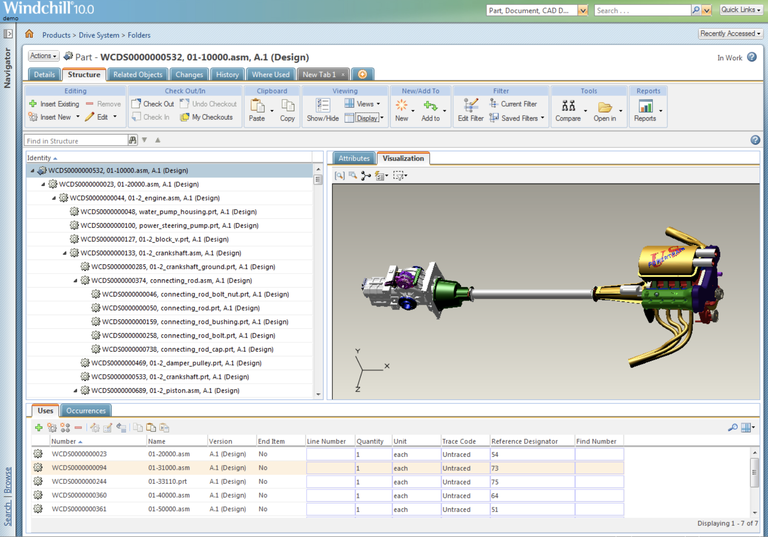
PTC Windchill delivers the deepest native integration with PTC Creo while also supporting SolidWorks, CATIA, and Siemens NX through robust connectors. Its strength is managing complex product structures, engineering change orders, and configuration variants at scale.
Standout capabilities:
- Native Creo integration with automatic BOM sync
- Multi-CAD data management across heterogeneous design teams
- Advanced change and configuration management workflows
- Comprehensive quality management with full traceability
Windchill suits organizations with complex products, multiple CAD platforms, and strict regulatory requirements. The learning curve is steep, but the depth of functionality is unmatched for large-scale PLM.
Siemens Teamcenter: Best for Digital Thread and Large Datasets
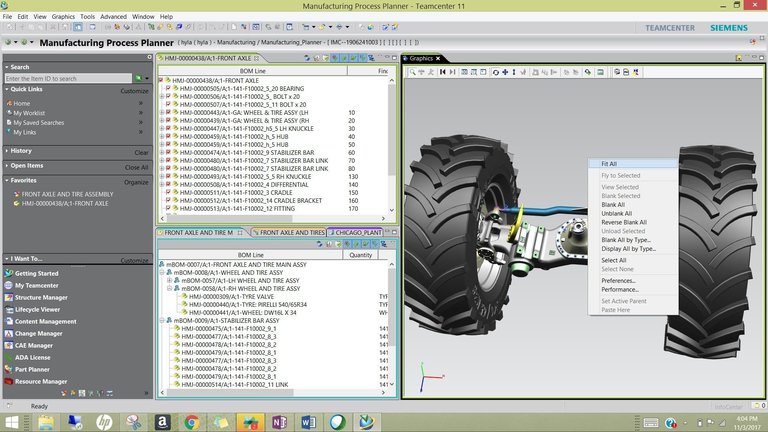
Siemens Teamcenter handles massive product datasets and provides the foundation for digital twin strategies. Its integration with Siemens NX is seamless, and it supports a wide range of third-party CAD systems.
Standout capabilities:
- Seamless NX integration with full associativity
- Extensive multi-CAD management for mixed-tool environments
- Advanced workflow and process automation
- Simulation and validation data management
Teamcenter is the go-to choice for aerospace, automotive, and industrial machinery companies managing millions of parts across global teams.
PTC Arena: Best Cloud PLM for Regulated Industries
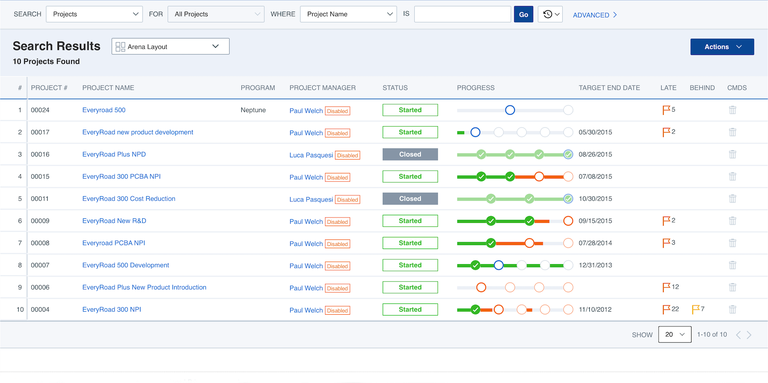
PTC Arena is a cloud-native PLM focused on quality management and regulatory compliance. It integrates with various CAD systems and excels in industries like medical devices and electronics where audit trails and controlled processes are critical.
Standout capabilities:
- Cloud-based with zero infrastructure overhead
- Multi-CAD integration support
- Built-in quality management and compliance workflows
- Scalable for growing organizations
Arena is ideal for mid-market companies in regulated industries that want PLM without the burden of on-premise infrastructure.
Dassault Systemes ENOVIA: Best for CATIA and SOLIDWORKS Teams
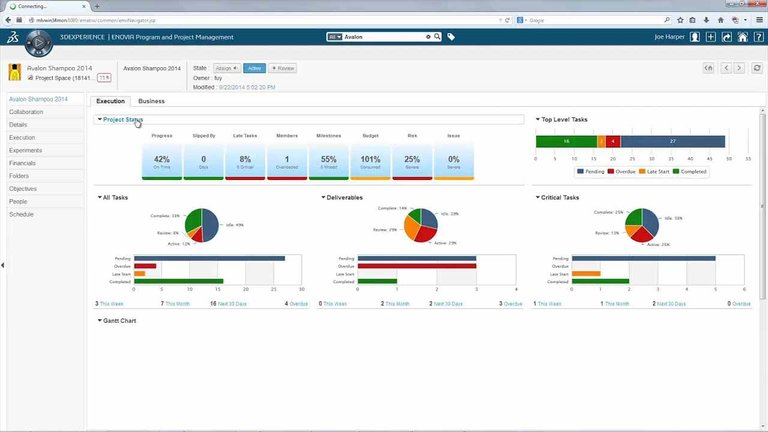
ENOVIA lives on the 3DEXPERIENCE platform and provides deep integration with CATIA and SOLIDWORKS. It covers the full product lifecycle with strong collaboration and innovation management tools.
Standout capabilities:
- Tight CATIA and SOLIDWORKS integration
- Comprehensive lifecycle management from concept to retirement
- Advanced collaboration and innovation tools
- Enterprise-scale for complex product development
ENOVIA makes the most sense if your design teams already work within the Dassault ecosystem.
Autodesk Fusion Manage: Best Cloud PLM for SMBs
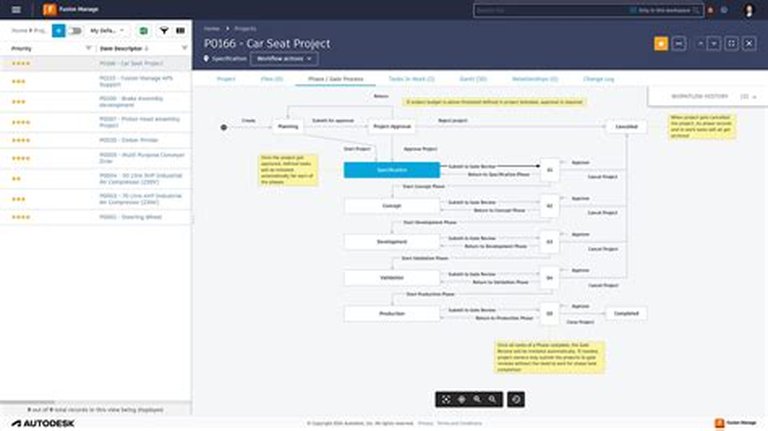
Fusion Manage (part of the Fusion 360 platform) provides accessible cloud-based PLM with tight Autodesk CAD integration. Its user-friendly interface and lower cost of entry make it attractive for small to medium businesses.
Standout capabilities:
- Native integration with Fusion 360 and AutoCAD
- Simplified workflow and change management
- Effective BOM management with visual tools
- Cloud-based with fast deployment
Best for teams already invested in Autodesk tools who need PLM capabilities without enterprise complexity or pricing.
Aras Innovator: Best Open and Customizable PLM
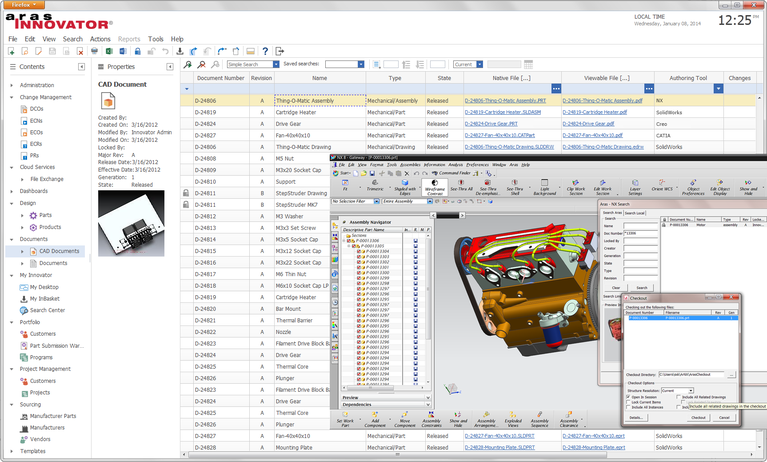
Aras Innovator takes a unique approach with its open, low-code platform. Organizations can customize workflows, data models, and integrations without vendor lock-in. It supports multi-CAD environments and complex change management.
Standout capabilities:
- Open platform with low-code customization
- Extensive multi-CAD integration
- Flexible workflow and process configuration
- Strong change and configuration management
Aras suits organizations that need PLM tailored to unusual or evolving processes, particularly those frustrated by rigid vendor platforms.
OpenBOM: Best Lightweight BOM Management with CAD Links
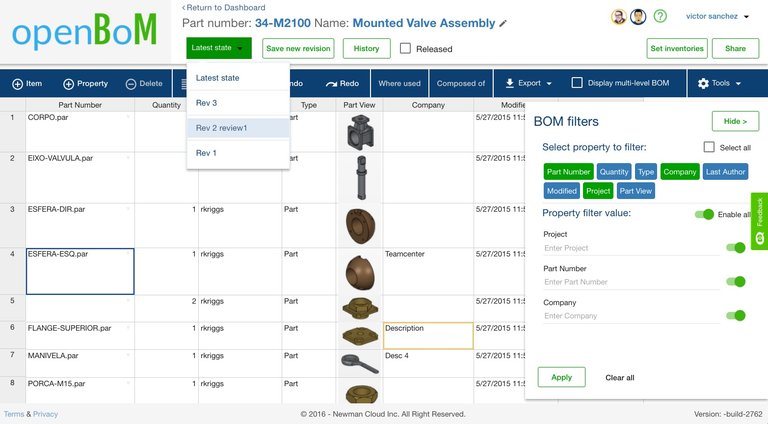
OpenBOM focuses on real-time BOM management and collaboration rather than full-scale PLM. It integrates with multiple CAD systems and provides a collaborative workspace for distributed teams managing product data.
Standout capabilities:
- Flexible multi-CAD integration
- Real-time collaboration on BOMs
- Cloud-native with minimal setup
- Lightweight alternative to enterprise PLM
OpenBOM is the right choice for teams that primarily need BOM visibility and collaboration without the overhead of a full PLM deployment.
How to Choose the Right PLM Software for Your CAD Environment
Use this decision framework:
- Map your CAD ecosystem - If 80%+ of your team uses one vendor's CAD (e.g., Creo, NX, SOLIDWORKS), prioritize PLM from that vendor for the deepest integration. If simulation data is part of the product record, include your CFD software in that map too.
- Assess deployment preference - Cloud-native (Arena, Fusion Manage, OpenBOM) vs. on-premise with cloud options (Windchill, Teamcenter, Aras).
- Match complexity to need - Don't buy enterprise PLM for a 10-person team. Start with OpenBOM or Fusion Manage and scale up.
- Evaluate BOM workflow - If BOM management is your primary pain point, OpenBOM or Fusion Manage may solve 80% of the problem at 20% of the cost.
- Check regulatory requirements - Regulated industries (medical, aerospace) should prioritize Arena or Windchill for built-in compliance.
FAQ
What is CAD integration in PLM software?
CAD integration in PLM means the PLM system can directly read, manage, and version CAD files (parts, assemblies, drawings) and automatically extract metadata like BOMs, material properties, and revision history without manual re-entry.
Can I use PLM software with multiple CAD systems?
Yes. All seven solutions listed here support multi-CAD environments, though the depth of integration varies. Vendor-native connections (e.g., Windchill + Creo, Teamcenter + NX) are typically deeper than third-party connectors.
Is cloud-based PLM better than on-premise for CAD integration?
Cloud PLM (Arena, Fusion Manage, OpenBOM) offers faster deployment, lower upfront cost, and easier remote collaboration. On-premise PLM (Windchill, Teamcenter) provides more control over data, deeper customization, and better performance with very large CAD datasets. The best choice depends on your team size, security requirements, and data volume.
How much does PLM software with CAD integration cost?
Pricing varies widely. Cloud solutions like OpenBOM start around $300/user/year. Mid-range options like Fusion Manage run $500-1,500/user/year. Enterprise platforms like Windchill and Teamcenter typically cost $5,000-15,000+/user/year including implementation. Always factor in integration, training, and customization costs.
What are the main benefits of integrating CAD with PLM?
The primary benefits are: elimination of manual data re-entry, automatic BOM synchronization, version control across design and manufacturing, faster engineering change propagation, and a single source of truth that reduces errors and rework throughout the product lifecycle.