Five AI tools are changing how engineers and designers work in CAD right now: AdamCAD and Zoo generate 3D geometry from text prompts, DraftAid automates 2D drawings, Leo AI builds full assemblies from sketches or specs, and MecAgent turns plain-English requests into macros that automate work inside your CAD environment. For a deeper workflow and pricing breakdown, read the full AI CAD software guide.
Which AI CAD Tool Do You Need?
The right tool depends on where your workflow slows down:
| Workflow Stage | Problem | Best Tool |
|---|---|---|
| Blank canvas | Need a 3D starting point fast | AdamCAD, Zoo |
| Documentation | 2D drawings take too long | DraftAid |
| Repetitive in-CAD work | Bulk edits, exports, standards checks | MecAgent |
| Complex assembly | Sketch or spec → full model | Leo AI |
AI CAD Tools Compared
| Tool | AI Type | Best For | Cost |
|---|---|---|---|
| AdamCAD | Text-to-CAD | Parametric geometry from text | — |
| DraftAid | Drawing automation | Technical drawings from 3D models | — |
| MecAgent | Engineering copilot | Automating repetitive CAD tasks via macros | Free plan; from $84/mo billed yearly |
| Zoo | Text-to-CAD | Fast geometry, open-source | Free to try |
| Leo AI | Engineering copilot | Complex mechanical assemblies | — |
AdamCAD: Parametric 3D Models from a Text Prompt
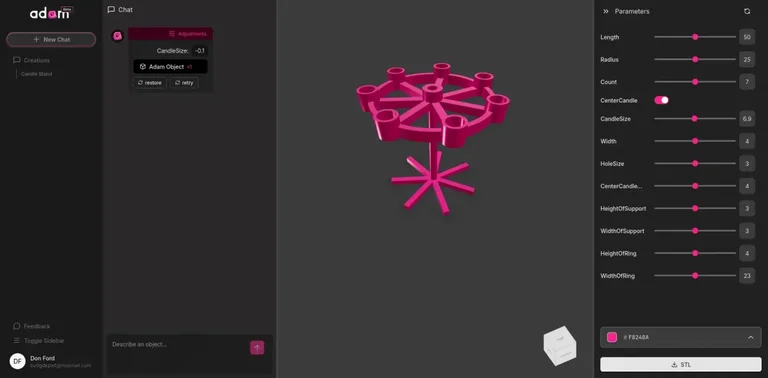
AdamCAD takes a natural language description—"a hexagonal gear with a 10mm shaft"—and outputs a parametric 3D model in seconds. Sliders let you adjust dimensions without reworking the model from scratch. Finished models export as STL, ready for 3D printing software or import into any major CAD platform.
Best for: Early-stage design exploration and rapid iteration when you need a starting geometry quickly.
DraftAid: Cut 2D Drawing Time by Up to 90%
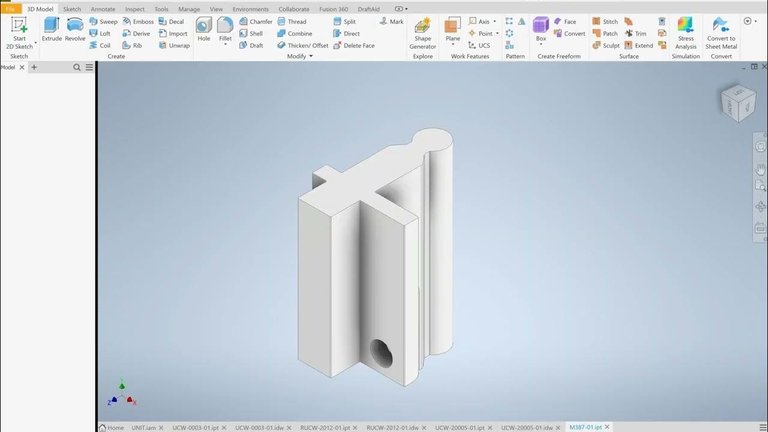
DraftAid automates the most time-consuming part of mechanical design: producing 2D fabrication drawings from 3D parts. It applies consistent dimensions, views, and drafting standards automatically, and integrates with SolidWorks and Autodesk Inventor.
DraftAid reports reducing drawing time by up to 90%—a meaningful gain when a single complex part can take hours to document manually.
Best for: Mechanical engineers who need production-ready drawings fast without sacrificing consistency or standards compliance.
MecAgent: Automate Repetitive CAD Work with Natural-Language Macros
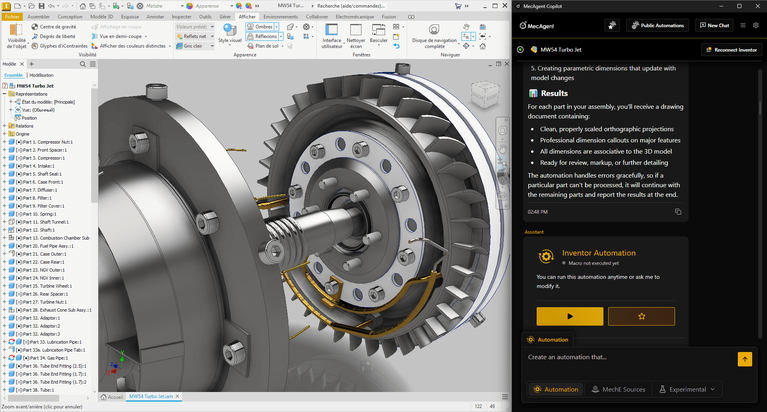
MecAgent is an AI copilot for mechanical engineers that converts plain-English requests into macros your CAD software can run. Rather than repeating an operation by hand across dozens of parts, you describe the task—bulk exports, property updates, material assignment, sketching, constraint application, standards checks—and MecAgent generates the automation for you.
It also produces manufacturing drawings from CAD models and answers engineering questions with cited technical sources. Two newer capabilities are still experimental: text-to-STEP/STL part generation and a natural-language finder for standard catalog parts. MecAgent's published workflows cover SOLIDWORKS and Autodesk Inventor, and it runs on Windows.
A limited free plan covers SOLIDWORKS with 30 credits per month. Starter is $84/month billed yearly (200 credits, privacy mode, commercial use), Advanced+ is $417/month billed yearly (1,500 credits, unlimited execution time, admin controls), and Enterprise is quote-based with on-premise or private-cloud deployment.
Best for: Mechanical engineers who lose hours to repetitive in-CAD operations and want them automated without hand-writing macro code.
Zoo Text-to-CAD: Open-Source and Free to Try
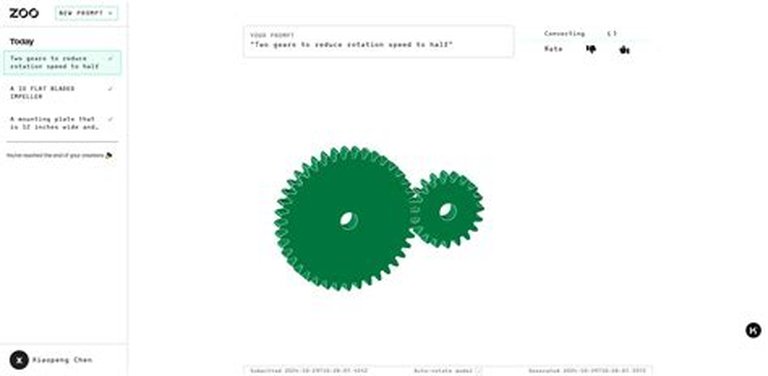
Zoo is built on an open-source modeling engine and was one of the first publicly available text-to-CAD platforms. Type a prompt like "a flange with 6 bolt holes" and Zoo generates the 3D geometry using machine learning.
It supports basic export formats and is well-suited for experimentation, learning, and educational use. Being free to try lowers the barrier for teams evaluating AI CAD tools for the first time.
Best for: Teams exploring text-to-CAD without a budget commitment, and educators demonstrating generative AI in engineering contexts.
Leo AI: From Sketch or Spec to Full Assembly
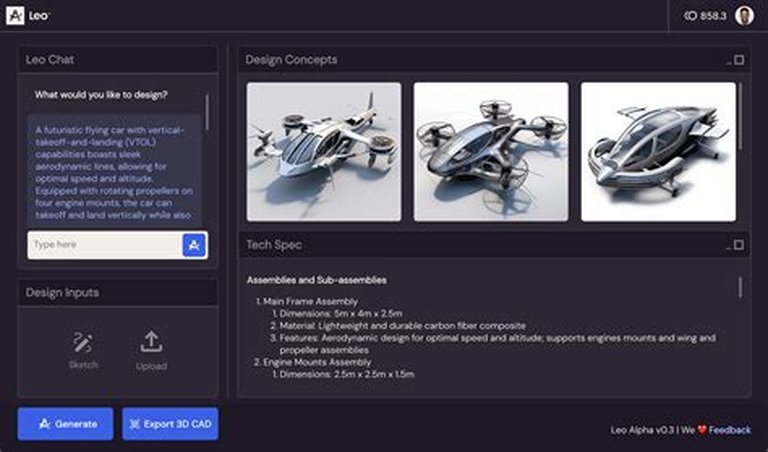
Leo AI goes further than single-part geometry generation. It uses a large mechanical model (LMM)—an AI trained specifically on engineering data—to take a sketch, a written description, or a specification document and generate complete CAD models, including multi-part assemblies.
Leo can also suggest standard mechanical components, which is useful when designing systems that depend on off-the-shelf parts fitting together correctly.
Best for: Engineers working on complex mechanical designs where multiple components need to fit together, not just individual parts.
How AI Is Changing the CAD Workflow
Traditional CAD requires building from scratch every time. AI changes three distinct stages of that process:
- Geometry generation — AdamCAD and Zoo replace the blank canvas with a text prompt, giving you something to refine rather than something to build from zero.
- Documentation automation — DraftAid and Leo AI automate drawing production and assembly modeling, removing the most repetitive work from the process.
- In-tool intelligence — MecAgent makes CAD software itself smarter, turning a plain-English request into a macro that runs inside the tools you already use.
The cumulative effect: the slow, mechanical parts of the workflow are handled by AI, leaving engineers to focus on the decisions that actually require expertise.
FAQ: AI Tools for CAD Design
What is text-to-CAD AI? Text-to-CAD AI generates 3D models from natural language descriptions. You describe what you need—geometry type, dimensions, features—and the AI produces a 3D model. AdamCAD and Zoo are the leading examples.
Can AI replace CAD software? No. Current AI CAD tools augment existing software by automating specific tasks—geometry generation, drawing automation, scripting. They work alongside tools like SolidWorks, AutoCAD, and Inventor rather than replacing them. If you need to choose that core platform first, compare the best CAD software by workflow and budget.
Is there a free AI tool for CAD design? Yes. Zoo (zoo.dev) is free to try and is based on an open-source project. MecAgent offers a limited free plan for SOLIDWORKS that includes 30 credits per month and up to 20 saved automations.
Which AI tool generates CAD drawings automatically? DraftAid specializes in converting 3D CAD models into 2D production drawings automatically, with correct views, dimensions, and standards applied—reducing drawing time by up to 90%.
Which AI CAD tool is best for complex mechanical assemblies? Leo AI is purpose-built for complex mechanical design. Its LMM is trained on engineering-specific data and can handle multi-part assemblies from sketches, text descriptions, or spec sheets.
Explore more AI-powered design tools in the AI-Assisted Design category on The CAD Hub.